
You've put all your efforts and spent weeks building a beautiful website.
You've carefully chosen your brand colors, written compelling content, and even purchased a professional domain name. Excited, you hit thePublish button and wait for visitors to arrive.
A day passes.
Nothing.
A week goes by.
Still nothing.
Another month later, your website is buried somewhere on page ten of Google, where almost nobody looks.
I've been there myself. You can spend hours creating what you genuinely believe is great content, only to realize that great content means very little if search engines and more importantly, your audience can't find it.
It can be frustrating. You know your content is valuable, but if people can't find it, it might as well not exist.
This is whereSearch Engine Optimization (SEO) makes all the difference.
SEO isn't about tricking Google or chasing secret ranking hacks. It's about helping search engines understand your content while creating the best possible experience for your visitors. When done correctly, SEO brings the right people to your website at the exact moment they're searching for what you offer.
Whether you're a business owner, blogger, freelancer, marketer, or someone just getting started, learning SEO is one of the most valuable digital skills you can develop.
The best part?
You don't need to be a programmer or marketing expert to understand it.
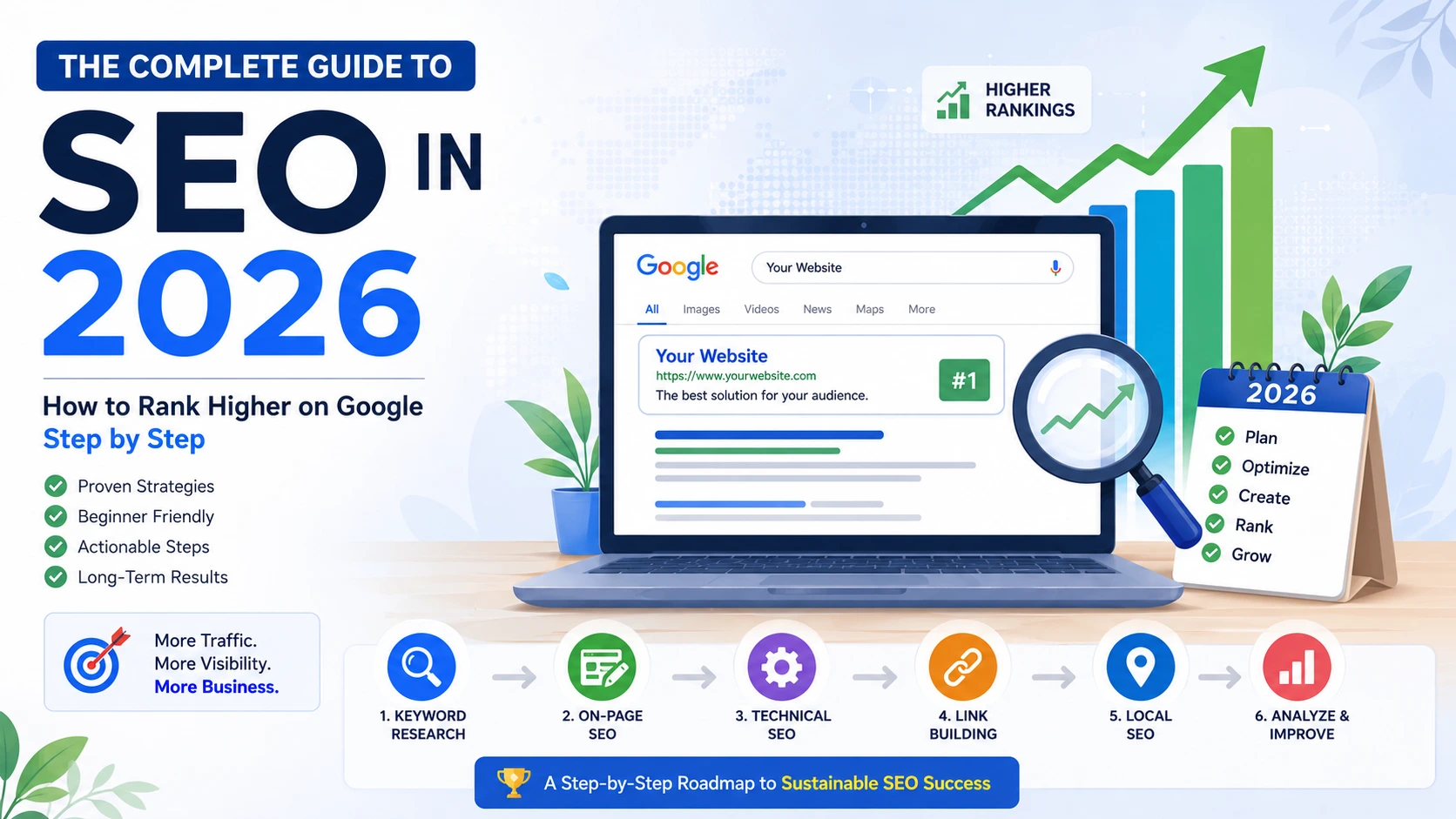
This guide breaks SEO down into simple, practical steps that anyone can follow.
By the end of this guide, you'll understand:
- What SEO really is (without confusing jargon)
- How Google decides which pages rank first
- How to find keywords your audience actually searches for
- How to optimize every page on your website
- Technical SEO made simple
- Link-building strategies that actually work
- Local SEO for businesses
- How AI is changing search in 2026
- The exact SEO checklist professionals use before publishing content
If you've ever searched for:
- What is SEO?
- SEO for beginners
- How to rank on Google
- How to get more organic traffic
- Complete SEO guide
...you're in the right place.
Let's start with the most important question.
What Is SEO? An SEO Guide for Beginners
SEO stands for Search Engine Optimization.
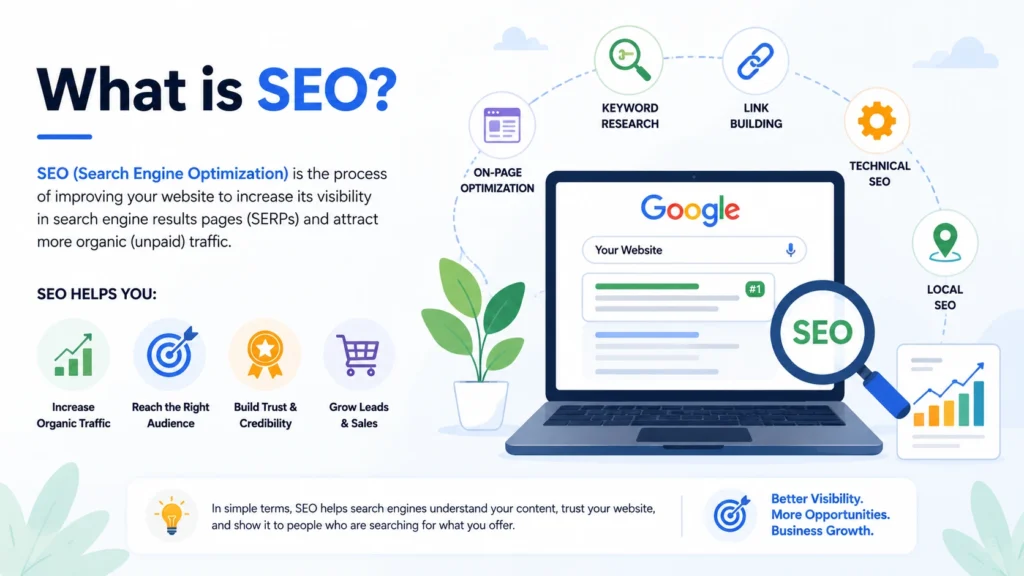
In simple words, SEO is the process of improving your website so that search engines like Google can understand your content and show it to people searching for relevant information.
Think of Google as the world's biggest library.
Every day, billions of web pages are added to the internet. Google's job is to organize all that information and recommend the best pages for every search.
When someone types:
"best digital marketing course"
Google instantly looks through billions of pages and chooses the ones it believes are the most useful.
SEO helps your website become one of those recommended pages.
A Simple Example
Imagine opening two coffee shops on the same street.
Both serve excellent coffee.
One shop has:
- A clear signboard
- Clean interiors
- Helpful staff
- Great reviews
- Easy parking
The other has:
- No signboard
- Poor lighting
- Confusing menu
- No reviews
- Hard-to-find location
Which one would attract more customers?
Probably the first one.
Google works in a similar way.
It wants to recommend websites that are trustworthy, easy to use, fast, and genuinely helpful.
SEO is the process of making your website that "easy-to-find coffee shop."
Why SEO Matters More Than Ever
People turn to Google whenever they have a question, need a product, or want to compare services.
They search before they buy.
They search before they travel.
They search before they hire someone.
If your business isn't visible in search results, you're missing valuable opportunities to reach potential customers.
Unlike paid advertising, SEO continues to generate traffic long after your content is published. A well-optimized article can bring visitors for months—or even years—with minimal ongoing cost.
That's why SEO remains one of the highest-return digital marketing strategies in 2026.
The Three Goals of SEO
Every SEO strategy focuses on three key outcomes:
1. Increase Visibility
Help your website appear when people search for topics related to your business.
2. Attract the Right Audience
It's not about getting more visitors—it's about getting theright visitors who are genuinely interested in your content, products, or services.
3. Build Trust
Google rewards websites that consistently publish accurate, helpful, and reliable content. Strong SEO isn't just about rankings; it's about becoming a trusted resource in your niche.
Key Takeaways
- SEO helps search engines understand your website.
- Good SEO improves visibility in Google search results.
- SEO focuses on delivering value to users, not manipulating algorithms.
- Higher rankings can lead to more traffic, leads, and long-term business growth.
- SEO is a long-term investment that compounds over time.
Now that you understand what SEO is, the next question is just as important:
How does Google actually decide which pages deserve to rank first?
That's exactly what we'll explore in the next section:How Search Engines Work.
How Search Engines Work
Before you can rank higher on Google, you need to understand one important thing:
Google doesn't "read" your website the way humans do.
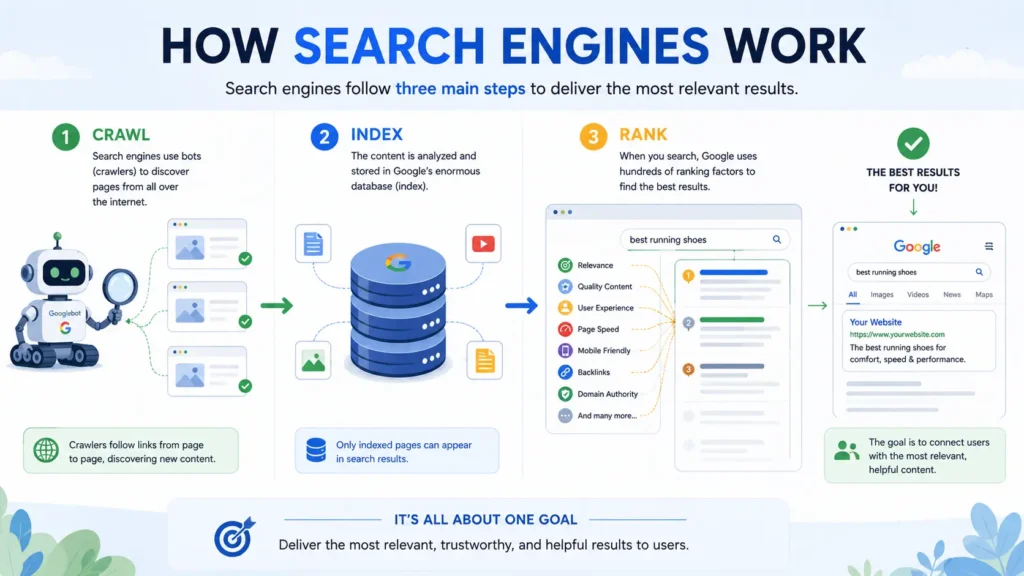
Instead, it follows a structured process to discover, understand, and rank billions of web pages.
Think of Google as a massive digital librarian.
Every second, people search for millions of questions:
- "Best SEO guide"
- "How to rank on Google"
- "Affordable laptops under ₹50,000"
- "Digital marketing agency near me"
Google's job is to find the most relevant, trustworthy, and helpful answer within a fraction of a second.
To do that, it follows three major steps:
- Crawling
- Indexing
- Ranking
Let's break each one down.
Step 1: Crawling – How Google Discovers Your Website
Imagine Google has millions of tiny robots constantly exploring the internet.
These robots are calledGooglebots orweb crawlers.
Their job is simple:
Visit web pages.
Follow links.
Discover new content.
Repeat.
Whenever you publish a new blog post or webpage, Googlebot attempts to find it by following links from other websites, your sitemap, or your internal links.
For example:
You publish:
digitaltrafficworks.com/seo-guide-2026
Googlebot eventually visits that page and begins reading its content.
If your page is accessible and well-structured, Google stores information about it for the next step.
What Helps Google Crawl Your Website?
Google can crawl your website more efficiently when you:
- Create an XML sitemap
- Use clear navigation
- Add internal links between related pages
- Fix broken links
- Avoid blocking important pages with robots.txt
- Maintain a logical website structure
Think of crawling as Google walking through every room in your house.
If doors are locked or hallways are confusing, some rooms may never be discovered.
Step 2: Indexing – Google's Digital Library
Discovering a page isn't enough.
Google also needs to decide whether it's worth saving.
This process is calledindexing.
The Google Index is like one of the largest digital libraries ever created.
When Google indexes a page, it stores information such as:
- Page title
- Content
- Images
- Keywords
- Topics covered
- Links
- Structured data
- User experience signals
If your page provides useful information, Google adds it to its database.
If the page is thin, duplicated, or offers little value, Google may choosenot to index it.
That's why publishing hundreds of low-quality pages rarely helps SEO.
One comprehensive, helpful article often performs much better than ten shallow ones.
Why Some Pages Don't Get Indexed
Common reasons include:
- Duplicate content
- Thin or low-value content
- "Noindex" meta tags
- Broken pages (404 errors)
- Poor internal linking
- Technical SEO issues
A page that isn't indexedcannot rank on Google.
No matter how well you've written it.
Step 3: Ranking – How Google Chooses the Best Results
Once Google has indexed millions of pages, it needs to answer one final question:
Which page deserves the #1 position?
This is where Google's ranking algorithms come into play.
Every time someone searches, Google evaluates countless signals to determine which pages best satisfy the user's query.
Although Google doesn't reveal its exact algorithm, SEO professionals know that several factors consistently influence rankings.
These include:
Content Quality
Does the page genuinely answer the searcher's question?
Is it comprehensive, accurate, and easy to understand?
Helpful content almost always outperforms content created solely to target keywords.
Relevance
Does the page match the user's search intent?
For example, if someone searches:
"How to rank on Google"
Google expects an educational guide—not a product page selling SEO software.
Understanding search intent is one of the most important aspects of modern SEO.
Website Experience
Google wants users to enjoy visiting your website.
It looks at factors such as:
- Mobile responsiveness
- Fast loading speed
- Secure HTTPS connection
- Easy navigation
- Readability
- Accessibility
A slow or confusing website can negatively affect rankings.
Authority
Imagine two websites publishing the same SEO article.
One is brand new.
The other has been publishing trusted SEO content for ten years and has earned hundreds of backlinks.
Which one is Google more likely to trust?
Usually the second.
Authority is built over time through:
- High-quality backlinks
- Helpful content
- Positive brand reputation
- Consistent publishing
- Demonstrated expertise
User Experience Signals
Google also considers whether users find your page useful.
While Google doesn't rely on a single metric, it pays attention to patterns such as:
- Whether people quickly return to search results
- Whether your content satisfies the search
- Overall engagement and usability
Pages that consistently help users tend to perform better over time.
Understanding Google's Goal
Here's something many beginners misunderstand.
Google's goal isn't to reward websites.
Its goal is to helpusers.
Every update Google releases has one purpose:
Deliver the most relevant, trustworthy, and helpful answer as quickly as possible.
If your content genuinely helps people solve a problem, you're already aligned with Google's mission.
That's why SEO in 2026 is less about tricks and more about creating exceptional experiences.
Real-Life Example
Let's say two websites publish an article titled:
"SEO Guide for Beginners."
Website A
- 600 words
- Stuffed with keywords
- Outdated advice
- Slow website
- No examples
- No images
- Difficult to read
Website B
- 6,000-word comprehensive guide
- Easy-to-understand explanations
- Updated for 2026
- Fast-loading pages
- Mobile-friendly design
- Helpful visuals
- Internal links
- Expert insights
- Actionable checklists
Which page would you trust?
Probably Website B.
Google thinks the same way.
Its algorithms are increasingly designed to reward content that demonstrates expertise, satisfies user intent, and provides a great overall experience.
How AI Has Changed Search
Google's search engine has evolved dramatically over the years.
Today, AI plays a significant role in understanding language and intent.
Instead of simply matching keywords, Google now understands:
- Synonyms
- Context
- User intent
- Relationships between topics
- Natural language questions
For example, these searches are understood as closely related:
- SEO Guide
- Search Engine Optimization Guide
- Beginner SEO Tutorial
- Learn SEO
- How to Rank on Google
This means you no longer need to repeat the exact same keyword unnaturally throughout your content.
Instead, focus on covering the topic comprehensively using natural language.
Quick Summary
Every webpage goes through three stages before it can rank:
- Crawling
Google discovers your page. - Indexing
Google understands and stores your page. - Ranking
Google compares your page with millions of others and decides where it belongs in search results.
If any one of these stages fails, your page may struggle to appear on Google.
That's why successful SEO isn't just about writing content—it's about ensuring search engines can discover, understand, and trust your website.
What's Next?
Now that you understand how Google works, it's time to explore the different branches of SEO.
Because ranking on Google isn't just about writing blog posts.
It involves optimizing your content, website, reputation, and local presence.
In the next section, we'll break down thefour main types of SEO and explain how they work together to improve your search rankings.
Types of SEO
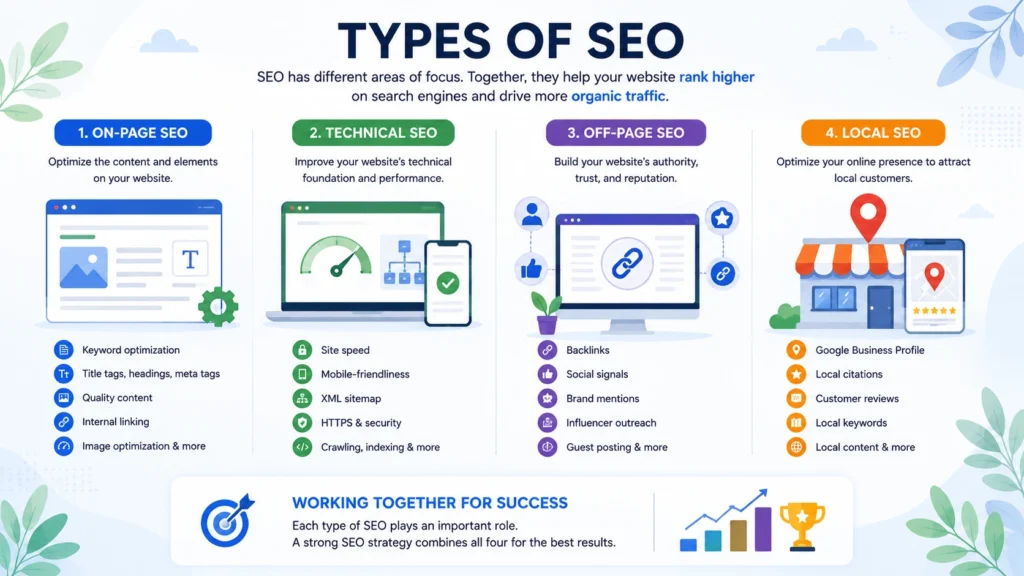
If SEO were a house, content wouldn't be the only thing holding it together.
A beautiful house also needs a strong foundation, solid walls, a secure roof, and a welcoming entrance.
The same idea applies to your website.
Many beginners think SEO is simply adding keywords to a page.
While keywords are important, they're only one piece of the puzzle.
To rank consistently on Google, you need to optimize different aspects of your website. That's why SEO is divided into several categories, each serving a unique purpose.
Understanding these categories will help you identify what your website needs and where to focus your efforts.
Let's explore the four main types of SEO.
1. On-Page SEO
On-page SEO refers to everything you optimizeon your website to help search engines understand your content and provide a better experience for users.
This is the part of SEO you have the most control over.
Whenever you write a blog post, publish a landing page, or update a product page, you're working on on-page SEO.
What Does On-Page SEO Include?
Some of the most important elements are:
- Writing high-quality, original content
- Optimizing page titles
- Creating compelling meta descriptions
- Using proper heading tags (H1, H2, H3)
- Naturally placing target keywords
- Writing descriptive image alt text
- Improving readability
- Adding internal links
- Optimizing URLs
- Keeping content fresh and updated
Example
Imagine you're writing an article titled:
How to Rank on Google
A well-optimized page would include:
- The keyword in the title
- A clear introduction
- Helpful subheadings
- Relevant examples
- Internal links to related guides
- Optimized images
- A conclusion with actionable next steps
Instead of writing for search engines, you're writing for real people—and making it easier for search engines to understand your content.
That's the essence of modern on-page SEO.
2. Off-Page SEO
If on-page SEO builds your website, off-page SEO builds your reputation.
Think about how people choose a restaurant.
If dozens of trusted friends recommend the same place, you're more likely to visit.
Google works in a similar way.
When other reputable websites mention or link to your content, Google sees those links as signals of trust.
These links are calledbacklinks.
The more high-quality backlinks your website earns, the more authoritative it appears.
Off-Page SEO Includes
- Building backlinks
- Digital PR
- Brand mentions
- Guest blogging
- Influencer collaborations
- Social sharing
- Online reviews
- Community engagement
It's important to remember that quality always beats quantity.
One backlink from a respected industry website is often worth more than hundreds of low-quality links.
A Simple Example
Imagine two SEO blogs.
Website A has 2,000 backlinks from random spam websites.
Website B has 25 backlinks from trusted marketing websites like industry blogs, universities, or respected publications.
Google is much more likely to trust Website B.
That's why earning backlinks should always be about creating valuable content that others naturally want to reference.
3. Technical SEO
You can write the best article on the internet.
But if your website loads slowly, doesn't work on mobile devices, or Google can't crawl it properly, your rankings may still suffer.
That's where technical SEO comes in.
Technical SEO focuses on improving the infrastructure of your website so search engines can access, understand, and index your pages efficiently.
Think of it as maintaining the engine of a car.
People notice the design, but without a healthy engine, the car won't perform well.
Technical SEO Includes
- Website speed optimization
- Mobile responsiveness
- HTTPS security
- XML sitemap
- Robots.txt
- Structured data (Schema Markup)
- Core Web Vitals
- Canonical tags
- Crawlability
- Fixing broken links
- Eliminating duplicate content
Many beginners find technical SEO intimidating.
The good news?
Modern platforms like WordPress, Shopify, and Webflow handle many technical aspects automatically.
You don't need to be a developer to understand the basics.
Learning these fundamentals alone can significantly improve your website's performance.
4. Local SEO
Not every business wants customers from around the world.
A dentist in Bangalore doesn't need visitors from New York.
A café in Chennai isn't trying to attract customers in London.
Local SEO helps businesses appear in searches related to specific locations.
For example:
- SEO agency near me
- Dentist in Bangalore
- Best café in Indiranagar
- Digital marketing company in Whitefield
When someone performs a local search, Google often displays a map with nearby businesses before showing regular search results.
Appearing in this section can drive highly qualified traffic.
Local SEO Includes
- Optimizing your Google Business Profile
- Building local citations
- Collecting customer reviews
- Creating location-specific pages
- Maintaining consistent business information
- Using local keywords
- Earning backlinks from local organizations
If you own a physical business or serve customers within a specific region, local SEO should be a major part of your strategy.
Bonus: Content SEO
While it's technically part of on-page SEO, content SEO deserves special attention.
Google has repeatedly emphasized one thing:
Helpful content wins.
Content SEO focuses on creating information that genuinely answers users' questions.
This involves:
- Understanding search intent
- Covering topics comprehensively
- Organizing information clearly
- Demonstrating expertise
- Updating outdated content
- Writing for humans first
In 2026, publishing ten average articles is far less effective than publishing one exceptional guide that becomes the best resource on the topic.
Quality consistently outperforms quantity.
How These Types of SEO Work Together
Think of SEO as a sports team.
Each player has a different role, but everyone works toward the same goal.
| SEO Type | Primary Focus | Goal |
| On-Page SEO | Content optimization | Help Google understand your pages |
| Off-Page SEO | Authority & backlinks | Build trust and credibility |
| Technical SEO | Website performance | Improve crawlability and user experience |
| Local SEO | Location-based visibility | Reach nearby customers |
| Content SEO | Helpful information | Satisfy search intent and earn rankings |
Neglecting one area can weaken your overall SEO performance.
For example:
- Great content without technical SEO may never be indexed properly.
- A fast website without quality content won't satisfy users.
- Helpful articles without backlinks may struggle to compete in competitive industries.
The strongest websites invest in all aspects of SEO over time.
Which Type of SEO Should Beginners Learn First?
If you're just starting your SEO journey, here's a simple learning path:
Step 1
Learn keyword research.
Understand what people are searching for.
Step 2
Master on-page SEO.
Create content that answers those searches.
Step 3
Improve your website's technical health.
Ensure Google can crawl and index your pages.
Step 4
Build authority through backlinks and brand mentions.
Step 5
If you serve a local audience, optimize your Google Business Profile and local presence.
Trying to master everything at once can feel overwhelming.
Instead, build your skills one layer at a time.
SEO is a long-term investment, and consistency beats shortcuts every time.
Key Takeaways
- SEO isn't a single activity—it's a combination of multiple strategies.
- On-page SEO helps Google understand your content.
- Off-page SEO builds your website's authority and trust.
- Technical SEO ensures your site is fast, secure, and easy to crawl.
- Local SEO helps businesses attract customers in their geographic area.
- Content SEO focuses on creating genuinely helpful resources that satisfy user intent.
Together, these elements form the foundation of a successful SEO strategy.
Up Next: Keyword Research
Now that you understand the different types of SEO, the next question is:
How do you know what people are actually searching for?
You could write the most helpful article in the world—but if nobody searches for that topic, it won't generate meaningful traffic.
In the next section, we'll dive intoKeyword Research, where you'll learn how to discover the exact words and phrases your audience uses on Google, how to evaluate keyword difficulty, and how to choose keywords that give you the best chance of ranking.
Keyword Research: The Foundation of Every Successful SEO Strategy
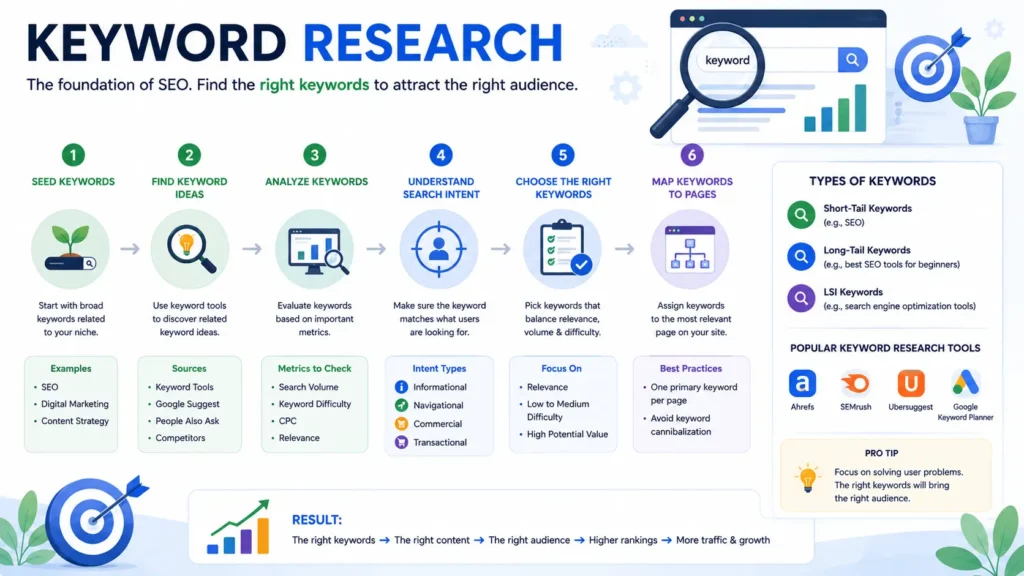
Imagine writing a 5,000-word article.
You spend hours researching the topic.
You design beautiful graphics.
You optimize every heading.
You hit publish.
Then... nothing happens.
No traffic.
No rankings.
No leads.
Not because your article wasn't good.
But becausenobody was searching for that topic.
This is one of the biggest mistakes beginners make.
They write whatthey think people want to read instead of discovering what people are already searching for.
That's exactly why keyword research is the first step in every successful SEO strategy.
Before you write a single word, you need to answer one simple question:
"What is my audience searching for on Google?"
When you know that answer, creating content becomes much easier.
Instead of guessing, you're solving a real problem that already exists.
Choosing keywords involves more than checking search volume and difficulty. Learn our complete keyword research process to discover, validate, prioritize, cluster, and map keywords that have a realistic chance of ranking.
What Is Keyword Research?
Keyword research is the process of finding the words and phrases people type into search engines when they're looking for information, products, or services.
These search terms are calledkeywords.
For example, if someone wants to learn SEO, they might search for:
- SEO Guide
- SEO for Beginners
- Search Engine Optimization
- How to Rank on Google
- Learn SEO Step by Step
- What is SEO
- Technical SEO Checklist
Each of these is a keyword.
Your goal is to create content that answers these searches better than anyone else.
Think of keywords as bridges.
On one side is your audience.
On the other side is your content.
Keyword research helps you build the bridge between them.
Why Keyword Research Matters
Many people believe SEO starts with writing content.
It doesn't.
SEO starts with understanding people.
Every search on Google represents a question, need, or problem.
Someone wants to learn something.
Someone wants to compare products.
Someone is ready to buy.
Keyword research helps you understand these intentions before you create content.
That means you can:
- Write articles people actually search for
- Attract qualified traffic instead of random visitors
- Discover content ideas you might never have considered
- Understand your audience's language
- Increase your chances of ranking on Google
In short, keyword research helps you work smarter—not harder.
Different Types of Keywords
Not all keywords are the same.
Some attract millions of searches every month.
Others may only receive a few hundred searches but bring highly targeted visitors.
Understanding the different types of keywords will help you choose the right opportunities.
1. Short-Tail Keywords
These are broad search terms made up of one or two words.
Examples:
- SEO
- Marketing
- Fitness
Advantages
- High search volume
- Large audience
- Broad visibility
Disadvantages
- Extremely competitive
- Difficult for new websites to rank
- Search intent is often unclear
If someone searches "SEO," what do they want?
A definition?
A course?
A tool?
An agency?
Google has to guess.
That's why broad keywords are difficult to target effectively.
2. Long-Tail Keywords
Long-tail keywords are longer and more specific search phrases.
Examples:
- SEO Guide for Beginners
- How to Rank on Google in 2026
- Best SEO Tools for Small Businesses
- Technical SEO Checklist for WordPress
Although they have lower search volume individually, they often convert much better because the search intent is clear.
Imagine two people searching:
Person A
SEO
Person B
How to Rank a New Website on Google Without Backlinks
Which person is more likely to read a detailed guide?
Probably the second one.
That's why long-tail keywords are especially valuable for new websites.
3. Mid-Tail Keywords
These fall between short-tail and long-tail keywords.
Examples:
- SEO Guide
- Local SEO
- Technical SEO
- SEO Checklist
They typically offer a good balance between search volume and competition.
Many successful SEO strategies focus on these keywords while supporting them with detailed long-tail content.
Primary vs Secondary Keywords
Every page should have one primary keyword.
This is the main topic of the page.
For this guide, the primary keyword is:
SEO Guide
Supporting it are several secondary keywords, such as:
- Search Engine Optimization
- SEO for Beginners
- How to Rank on Google
- Learn SEO
- SEO Tips
- Google Ranking Factors
- Organic Traffic
- SEO Strategy
- Beginner SEO Guide
Using related keywords naturally helps search engines understand the full context of your content.
You don't need to repeat the exact same phrase dozens of times.
Modern SEO rewards comprehensive topic coverage rather than keyword repetition.
Understanding Search Volume
Search volume estimates how many times a keyword is searched within a month.
For example:
| Keyword | Monthly Searches (Example) |
| SEO | 100,000+ |
| SEO Guide | 12,000 |
| SEO for Beginners | 8,000 |
| Technical SEO Checklist | 1,500 |
Higher search volume often means greater competition.
Don't chase the biggest numbers.
Instead, focus on keywords that are relevant to your audience and realistic for your website's authority.
A keyword with 800 targeted searches can drive more valuable traffic than a broad keyword with 100,000 untargeted searches.
What Is Keyword Difficulty?
Keyword Difficulty (KD) estimates how hard it may be to rank on the first page of Google.
A high KD usually means you're competing against established websites with strong authority and thousands of backlinks.
Examples include:
- HubSpot
- Ahrefs
- Semrush
- Search Engine Journal
If you're launching a new website, trying to outrank these giants immediately can be discouraging.
Instead, target lower-competition keywords where you have a realistic chance to succeed.
As your website grows in authority, you can gradually pursue more competitive topics.
What Is Search Intent?
Not every search has the same goal.
Someone searching "What is SEO?" has different needs than someone searching "Hire an SEO agency."
Google understands this difference—and so should you.
Search intent generally falls into four categories:
Informational
The user wants to learn something.
Examples:
- What is SEO?
- How does Google work?
- SEO Guide
Navigational
The user is looking for a specific website or brand.
Examples:
- Google Search Console
- Ahrefs Login
- Semrush Pricing
Commercial Investigation
The user is comparing options before making a decision.
Examples:
- Best SEO Tools
- Ahrefs vs Semrush
- Top SEO Agencies
Transactional
The user is ready to take action.
Examples:
- Hire SEO Expert
- Buy SEO Course
- SEO Services Bangalore
Creating content that matches search intent dramatically improves your chances of ranking.
What Are Semantic Keywords?
Years ago, SEO was all about repeating the exact keyword.
Today, Google understands language much more naturally.
If you're writing about SEO, it expects related concepts to appear naturally throughout your content.
These might include:
- Organic traffic
- Search rankings
- Google Search Console
- Crawling
- Indexing
- Meta tags
- Content optimization
- Backlinks
- Core Web Vitals
Including these related terms helps Google understand the depth and relevance of your content.
Focus on covering the topic thoroughly instead of forcing the same keyword into every paragraph.
How to Find Keyword Ideas
One of the easiest ways to discover content opportunities is to pay attention to what people are already searching for.
Some effective methods include:
- Google's autocomplete suggestions
- "People Also Ask" questions
- Related searches at the bottom of search results
- Industry forums and communities
- Customer questions
- Competitor websites
- SEO tools like Google Keyword Planner, Ahrefs, Semrush, Ubersuggest, and KeywordTool.io
If multiple people are asking the same question, there's a good chance it's worth creating content around.
How to Choose the Right Keyword
Before targeting any keyword, ask yourself:
- Does it match my business or niche?
- Can I create the best content on this topic?
- Is the search intent clear?
- Is the competition realistic for my website?
- Will ranking for this keyword help achieve my goals?
If the answer is "yes" to all five questions, you've likely found a strong keyword opportunity.
Remember, successful SEO isn't about ranking for every keyword.
It's about ranking for theright keywords.
Common Keyword Research Mistakes
Even experienced marketers make mistakes when choosing keywords.
Avoid these common pitfalls:
- Chasing only high-volume keywords
- Ignoring search intent
- Targeting too many primary keywords on one page
- Stuffing keywords unnaturally into content
- Overlooking long-tail opportunities
- Creating content without validating demand
- Copying competitors without adding unique value
The goal isn't just to rank.
The goal is to attract the right audience with content that genuinely helps them.
Key Takeaways
- Keyword research is the starting point of every successful SEO strategy.
- Focus on understanding your audience before creating content.
- Prioritize keywords that match your expertise and your users' needs.
- Long-tail keywords are often the best opportunity for newer websites.
- Search intent is just as important as search volume.
- Modern SEO rewards topical depth and natural language over keyword repetition.
By investing time in keyword research, you'll create content that has a much greater chance of earning rankings, attracting qualified traffic, and delivering long-term results.
Up Next: Search Intent
Finding the right keyword is only half the battle.
The next step is understandingwhy someone searched for it.
In the next section, we'll exploreSearch Intent in depth and learn how aligning your content with user intent can make the difference between ranking on page one and getting buried in the search results.
Search Intent: The Secret Behind Every Page-One Ranking
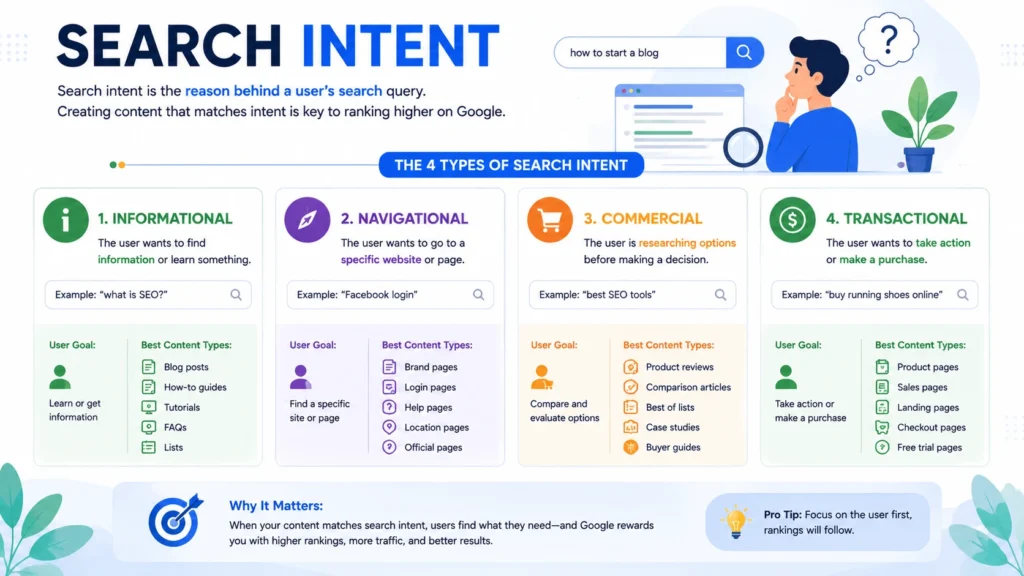
Imagine two people searching on Google.
The first person types:
"What is SEO?"
The second person searches:
"Best SEO agency in Bangalore."
Both searches contain the wordSEO.
But are they looking for the same thing?
Not even close.
The first person wants to learn.
The second person wants to hire someone.
If Google showed an agency's pricing page for the first search, the user would be disappointed.
Likewise, showing a beginner's guide to someone ready to hire an agency wouldn't be helpful either.
This is exactly whysearch intent matters.
Google's primary goal isn't to match keywords.
Its goal is to understandwhat the user wants and deliver the most helpful result.
If your content matches that intent, you have a much better chance of ranking.
If it doesn't, even the best-written article may struggle to reach page one.
What Is Search Intent?
Search intent (also calleduser intent) is the reason behind a search query.
Every time someone opens Google, they have a purpose.
They may want to:
- Learn something
- Compare different options
- Visit a specific website
- Buy a product
- Hire a service
- Solve a problem
Understanding that purpose helps you create content that satisfies the searcher's expectations.
Think of search intent as answering this simple question:
"What does this person expect to see after clicking this result?"
If your page delivers exactly what they're looking for, both users and Google benefit.
The Four Types of Search Intent
These four categories provide a useful starting point, but real-world queries often show mixed or overlapping intent. A detailed search intent analysis helps you determine which intent should be treated as primary.
Although every search is unique, most queries fall into four main categories.
1. Informational Intent
The user wants information.
They're looking to learn, understand, or solve a problem.
Examples:
- What is SEO?
- How does Google rank websites?
- SEO Guide
- What are backlinks?
- How to improve website speed
These users aren't ready to buy.
They're looking for answers.
The best content for informational searches includes:
- Comprehensive guides
- Tutorials
- Step-by-step articles
- Explainers
- Videos
- Infographics
- Checklists
This guide is a perfect example of informational content.
Its purpose is to educate readers.
2. Navigational Intent
Sometimes users already know where they want to go.
They're simply using Google as a shortcut.
Examples:
- Google Search Console
- ChatGPT
- LinkedIn Login
- YouTube Studio
- Ahrefs Dashboard
In these cases, Google usually ranks the official website first because that's what users expect.
Unless you own the brand, trying to rank for navigational keywords usually isn't worthwhile.
3. Commercial Investigation
Here, users are researching before making a decision.
They're comparing products, services, or tools.
Examples:
- Best SEO Tools
- Ahrefs vs Semrush
- Best CRM Software
- Top Digital Marketing Agencies
- Best WordPress SEO Plugin
They're not ready to purchase immediately.
But they're getting close.
Content that performs well for commercial intent often includes:
- Product comparisons
- Reviews
- "Best of" lists
- Pros and cons
- Feature comparisons
- Pricing guides
Your goal is to help users make informed decisions—not push a sale.
4. Transactional Intent
This is where users are ready to take action.
Examples:
- Buy SEO Course
- Hire SEO Consultant
- SEO Services Bangalore
- Book SEO Audit
- Purchase Domain Name
Users with transactional intent have already done their research.
Now they're looking for the best provider.
Pages targeting these keywords should focus on:
- Clear service descriptions
- Pricing
- Benefits
- Testimonials
- Trust signals
- Strong calls to action
- Easy contact options
Why Search Intent Matters More Than Keywords
Let's imagine someone searches:
"How to Rank on Google."
Now compare two articles.
Article A
- Repeats the keyword 40 times.
- Contains outdated tactics.
- Offers vague advice.
- Provides little practical value.
Article B
- Explains how Google works.
- Covers keyword research.
- Discusses content strategy.
- Includes technical SEO.
- Shares actionable examples.
- Ends with a practical checklist.
Which article is more likely to satisfy the search?
Clearly, Article B.
That's why Google increasingly rewards pages that solve the user's problem instead of simply mentioning the keyword.
Today, relevance beats repetition.
How Google Understands Search Intent
Modern search engines use advanced AI models to understand context rather than relying only on exact keyword matches.
For example, Google recognizes that these searches are closely related:
- Learn SEO
- SEO Tutorial
- Beginner SEO Guide
- Search Engine Optimization Course
- How to Rank on Google
Even though the wording differs, the underlying intent is similar.
Google groups these queries into broader topics and identifies the type of content users expect to see.
This is why comprehensive, well-structured guides often rank for hundreds—or even thousands—of related keywords.
How to Identify Search Intent Before Writing
Search intent analysis goes beyond identifying whether a query is informational, commercial, transactional, or navigational. It involves studying the SERP, identifying the dominant intent, evaluating competing page types, and deciding how your content should satisfy the searcher. Learn how to perform a search intent analysis step by step.
One of the easiest ways to understand intent is to look at Google's first page.
Search your target keyword and ask:
What kind of content is ranking?
Is it:
- Blog posts?
- Videos?
- Product pages?
- Service pages?
- Comparison articles?
- Local business listings?
Google is already telling you what users prefer.
For example, if the top ten results for"SEO Guide" are educational articles, creating a sales page is unlikely to rank well.
Always let the search results guide your content strategy.
Match the Format to the Intent
Matching content format to intent is only one part of the process. You also need to map the keyword to the appropriate page type, funnel stage, and conversion goal.
Once you understand the intent, choose the right content format.
| Search Intent | Best Content Format |
| Informational | Guides, tutorials, how-to articles |
| Navigational | Brand homepage, login pages, official documentation |
| Commercial | Comparisons, reviews, "best" lists |
| Transactional | Service pages, landing pages, product pages |
Matching the format to the user's expectations significantly improves your chances of ranking.
Can One Page Target Multiple Intents?
Sometimes.
But only when the intents naturally overlap.
For example, this guide primarily targetsinformational intent.
However, readers may eventually become interested in:
- SEO services
- SEO tools
- Website audits
Instead of turning this article into a sales page, you can gently guide interested readers by adding:
- Internal links to service pages
- Relevant case studies
- Free resources
- Newsletter sign-up
- SEO consultation CTA
This keeps the educational focus while creating opportunities for future conversions.
Common Search Intent Mistakes
Many websites struggle because they create the wrong type of content.
Here are a few common mistakes:
❌ Targeting informational keywords with sales pages
If someone searches"What is Technical SEO?", they expect an explanation—not a "Contact Us" form.
❌ Writing shallow content for competitive informational keywords
A 600-word article is unlikely to outrank detailed guides covering every aspect of the topic.
❌ Ignoring the search results
If Google consistently ranks videos or comparison articles for a query, there's usually a reason.
Study what's already working before creating your own content.
❌ Prioritizing keywords over user needs
Always ask yourself:
"Will this page genuinely help the person who searched for this?"
If the answer is yes, you're on the right track.
Real-Life Example
Let's look at two different keywords.
Keyword 1
SEO Checklist
The user wants:
- Actionable steps
- Printable list
- Practical advice
A checklist article is the best format.
Keyword 2
Hire SEO Expert
The user wants:
- Experience
- Pricing
- Testimonials
- Contact information
A service page is the best format.
Notice how the content completely changes, even though both keywords relate to SEO.
That's the power of understanding intent.
Key Takeaways
- Search intent is the reason behind every Google search.
- Google prioritizes pages that satisfy user intent—not just pages that repeat keywords.
- There are four primary types of search intent: informational, navigational, commercial, and transactional.
- Studying Google's first page is one of the best ways to understand what users expect.
- Match your content format to the intent behind the keyword.
- Focus on solving the user's problem, and rankings often follow naturally.
Up Next: Content Strategy
Now that you knowwhat people are searching for andwhy they're searching, the next step is learningwhat content to create.
In the next section, we'll build a content strategy that helps you rank for dozens—even hundreds—of related keywords by creating topical authority instead of isolated blog posts.
You'll learn why publishing random articles no longer works in 2026 and how to create a content ecosystem that both users and Google love.
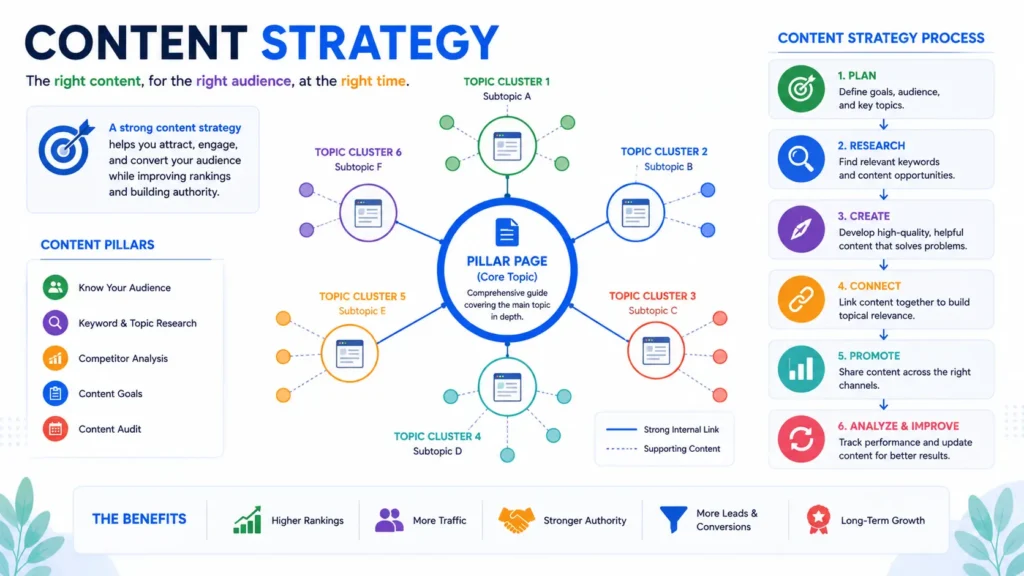
Content Strategy: How to Create SEO Content That Actually Ranks
Let's imagine two websites launching on the same day.
Website A
Publishes articles like:
- Best SEO Tips
- What is Digital Marketing?
- Instagram Marketing
- Facebook Ads
- Email Marketing
- Best Laptops
- AI Tools
- Productivity Apps
Every article is about a different topic.
There isn't a clear focus.
Website B
Publishes:
- The Complete SEO Guide
- Keyword Research Guide
- On-Page SEO Guide
- Technical SEO Guide
- Link Building Guide
- Local SEO Guide
- Google Search Console Guide
- SEO Checklist
- E-E-A-T Guide
- SEO Tools Guide
Every article is connected.
Each one supports the others.
Now ask yourself:
Which website looks more like an SEO expert?
The answer is obvious.
That's exactly how Google thinks.
It doesn't just evaluate individual pages.
It evaluates youroverall expertise on a topic.
This is why modern SEO isn't about publishing more content.
It's about buildingtopical authority.
What Is a Content Strategy?
A content strategy is a plan for creating, organizing, publishing, and updating content with a clear goal.
Instead of randomly writing articles whenever inspiration strikes, every piece of content has a purpose.
A good SEO content strategy answers questions like:
- Who is my audience?
- What problems do they have?
- What are they searching for?
- Which keywords should I target?
- How should my content connect together?
- How will I measure success?
Without a strategy, content becomes random.
With a strategy, every article strengthens the entire website.
Why Random Blogging Doesn't Work Anymore
Years ago, publishing lots of articles was often enough to gain visibility.
Today, Google expects much more.
Imagine searching for:
"How to Rank on Google."
Would you trust advice from a website that has written only one SEO article?
Or would you trust a website with:
- 100 SEO articles
- Case studies
- Checklists
- Tutorials
- Industry updates
- Practical examples
Most people—and Google—would choose the second option.
Consistency builds trust.
Depth builds authority.
That's why topical coverage matters.
What Is Topical Authority?
Topical authority means becoming a trusted source for a specific subject.
Instead of trying to cover everything, you become exceptionally good at one area.
For DigitalTrafficWorks, that topic could be:
SEO.
Within SEO, you can cover:
- Keyword Research
- Technical SEO
- On-Page SEO
- Local SEO
- Link Building
- Content Marketing
- Google Search Console
- SEO Audits
- Core Web Vitals
- AI Search Optimization
Over time, Google begins to recognize that your website consistently publishes high-quality content about SEO.
This increases your likelihood of ranking for related topics.
Think of it as earning a reputation.
The more useful content you publish around one subject, the more authority you build.
The Pillar and Cluster Content Model
One of the most effective SEO strategies is thepillar-cluster model.
Instead of creating isolated articles, you build an interconnected content ecosystem.
Pillar Content
A pillar page is a comprehensive resource covering a broad topic.
Examples include:
- The Complete SEO Guide
- Digital Marketing Guide
- WordPress SEO Guide
Pillar pages provide a high-level overview while linking to more detailed articles.
Cluster Content
Cluster pages focus on individual subtopics.
For this SEO guide, clusters might include:
- Keyword Research Guide
- On-Page SEO Checklist
- Technical SEO Explained
- Local SEO for Small Businesses
- How to Build Backlinks
- Google Search Console Tutorial
- Common SEO Mistakes
- SEO Tools Compared
- E-E-A-T Explained
Each cluster links back to the main pillar page, and the pillar links to each cluster.
This internal linking structure helps both users and search engines understand the relationship between topics.
Visualizing the Content Structure
Imagine your website like a tree.
SEO Guide
│
┌───────────────┼───────────────┐
Keyword Research On-Page SEO Technical SEO
│ │ │
Search Intent Meta Titles Core Web Vitals
│ │ │
Keyword Tools Internal Links Schema Markup
The pillar acts as the trunk.
The supporting articles are the branches.
Together, they create a strong, organized content structure.
Build Content Around User Problems
One of the biggest mistakes businesses make is writing about themselves.
Visitors aren't searching for:
"Why Our Company Is Amazing"
They're searching for:
- Why isn't my website ranking?
- How do I get more organic traffic?
- How do I find SEO keywords?
- How do I improve website speed?
- Why did my rankings drop?
Great content starts with user questions.
Every article should solve a specific problem.
If your content genuinely helps readers, engagement improves—and so do your chances of ranking.
Map Content to the Customer Journey
Not every visitor is ready to become a customer.
People move through different stages before making a decision.
Awareness
The visitor realizes they have a problem.
Content examples:
- What is SEO?
- Why SEO Matters
- How Google Search Works
Consideration
They're exploring solutions.
Content examples:
- Best SEO Tools
- SEO vs PPC
- Technical SEO Checklist
- Local SEO Guide
Decision
They're ready to choose a provider.
Content examples:
- SEO Services
- Case Studies
- Pricing
- Free SEO Audit
- Contact Page
Creating content for each stage ensures you're helping users throughout their journey—not just when they're ready to buy.
Create a Content Calendar
Consistency matters more than publishing ten articles in one week and then disappearing for three months.
A simple content calendar can keep your efforts on track.
For example:
| Week | Topic |
| Week 1 | Keyword Research Guide |
| Week 2 | On-Page SEO Checklist |
| Week 3 | Technical SEO Basics |
| Week 4 | Local SEO Guide |
Over time, this steady publishing schedule builds topical authority.
Remember:
SEO is a marathon—not a sprint.
Update Existing Content
Publishing isn't the finish line.
It's the starting point.
Google prefers fresh, accurate information.
Every few months, review your important articles and ask:
- Is the information still accurate?
- Have ranking factors changed?
- Can I add new examples?
- Are there better visuals?
- Have new tools emerged?
- Are competitors covering something I'm missing?
Updating an existing article often requires less effort than creating a new one—and can produce significant ranking improvements.
Information Gain: Give Readers Something New
One concept that's becoming increasingly important isinformation gain.
Google doesn't want ten identical articles.
It wants pages that add something unique.
Ask yourself:
- Can I include original examples?
- Can I share personal experience?
- Can I provide a downloadable checklist?
- Can I include screenshots?
- Can I explain a complex idea more clearly?
- Can I add real-world case studies?
The more original value you provide, the more memorable your content becomes.
Can AI Help Create Content?
Yes—but only if it's used wisely.
AI can help you:
- Brainstorm ideas
- Create outlines
- Improve readability
- Summarize research
- Generate first drafts
However, AI shouldn't replace your expertise.
Readers—and Google—value content that includes:
- Personal insights
- Original examples
- Real experiences
- Expert opinions
- Unique perspectives
Use AI as an assistant, not as the author.
The best-performing content combines AI efficiency with human expertise.
Measure Content Performance
Publishing without measuring results is like driving without a map.
Track metrics such as:
- Organic traffic
- Keyword rankings
- Click-through rate (CTR)
- Average time on page
- Bounce rate
- Conversions
- Backlinks earned
- Internal link performance
These insights help you understand what's working and where to improve.
SEO is an ongoing process of testing, learning, and refining.
Key Takeaways
- A content strategy gives every article a clear purpose.
- Focus on building topical authority instead of publishing random content.
- Use a pillar-and-cluster structure to organize your website.
- Create content that answers real user questions.
- Match content to different stages of the customer journey.
- Update important articles regularly to keep them relevant.
- Add original insights and practical examples to stand out.
- Use AI to assist your workflow, but rely on human expertise to create truly valuable content.
Up Next: On-Page SEO
Now that you knowwhat content to create, it's time to learnhow to optimize each page for search engines and users.
In the next section, we'll walk through every element ofOn-Page SEO—from writing compelling title tags and meta descriptions to optimizing headings, URLs, images, internal links, and content structure.
By the end, you'll have a complete framework you can apply to every page you publish.
On-Page SEO: The Complete Step-by-Step Guide to Optimizing Every Page
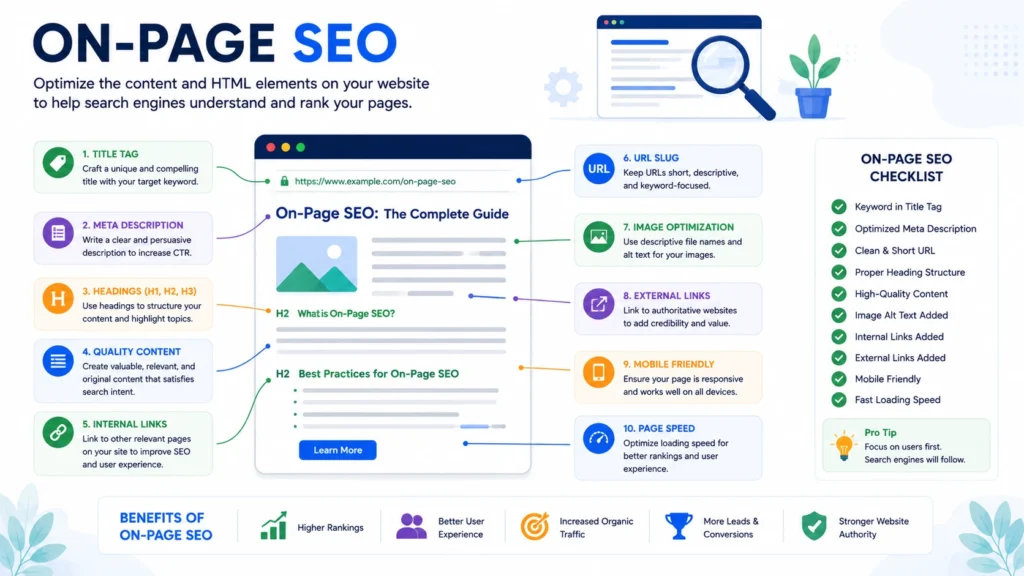
Imagine you've built a beautiful house.
The architecture is stunning.
The furniture looks perfect.
The location is excellent.
But there's one problem.
There's no house number.
No signboard.
No street name.
No directions.
People drive right past it because they don't know what they're looking at.
A webpage without proper on-page SEO is similar.
Your content might be exceptional.
But if Google can't clearly understand what the page is about, it's much harder to rank it for the right searches.
On-page SEO helps search engines understand your content while making it easier for visitors to read, navigate, and take action.
Think of it as giving Google a clear roadmap.
Let's look at every element that matters.
What Is On-Page SEO?
On-page SEO is the process of optimizing everythingon an individual webpage to improve its visibility in search engines and provide a better user experience.
Unlike technical SEO or link building, on-page SEO focuses on elements you directly control.
These include:
- Content
- Titles
- Meta descriptions
- URLs
- Headings
- Images
- Internal links
- Keywords
- Page structure
- Readability
- User experience
Every page on your website should be optimized individually.
Because Google ranks pages—not entire websites.
1. Start with One Primary Keyword
Before writing anything, decide the main keyword your page should rank for.
For this article, the primary keyword is:
SEO Guide
Everything on the page should support that topic.
Avoid trying to optimize one page for dozens of unrelated primary keywords.
Instead:
One page = One primary topic.
Then naturally include related secondary keywords throughout the content.
For example:
Primary Keyword:
SEO Guide
Supporting keywords:
- Search Engine Optimization
- SEO for Beginners
- How to Rank on Google
- Learn SEO
- Organic Traffic
- SEO Strategy
- Google Ranking Factors
This helps Google understand the broader topic without making your writing feel repetitive.
2. Write a Compelling SEO Title Tag
Your title tag is one of the strongest on-page ranking signals.
It's also the first thing people usually see in Google Search results.
A good title should:
- Include your primary keyword
- Explain the benefit
- Encourage clicks
- Stay within approximately 50–60 characters when possible
Good Example
The Complete SEO Guide for Beginners (2026)
Better Example
The Complete Guide to SEO in 2026: How to Rank Higher on Google
Notice how the second title tells readers exactly what they'll learn.
Always write for humans first.
Keywords should fit naturally.
3. Write a Meta Description That Earns Clicks
Although meta descriptions aren't a direct ranking factor, they can improve your click-through rate (CTR).
A higher CTR often means more traffic from the same rankings.
An effective meta description should:
- Summarize the page
- Include the primary keyword naturally
- Explain the benefit
- Encourage users to click
Example:
Learn SEO step by step with this complete beginner's guide. Discover keyword research, technical SEO, on-page optimization, link building, and proven strategies to rank higher on Google in 2026.
Think of the meta description as your page's advertisement.
Its job is to convince users that your result is worth clicking.
4. Create Clean, Descriptive URLs
URLs should be simple, readable, and descriptive.
Good URL
yourwebsite.com/seo-guide
Also Good
yourwebsite.com/on-page-seo-checklist
Avoid URLs Like
yourwebsite.com/post?id=47839
or
yourwebsite.com/article-final-version-new-updated-copy-2
Simple URLs are easier for users to remember and give search engines clearer context.
A good URL should:
- Use lowercase letters
- Include the primary keyword
- Avoid unnecessary numbers
- Separate words with hyphens
- Stay concise
5. Use Heading Tags Properly
Headings help organize your content.
More importantly, they make long articles easier to scan.
Think of headings as chapter titles in a book.
A clear hierarchy helps both readers and search engines understand the structure.
A typical page should follow this pattern:
H1
H2
H3
H3
H2
H3
H2
Your H1 should clearly state the main topic.
Example:
The Complete Guide to SEO in 2026
Then use H2s for major sections like:
- What Is SEO?
- Keyword Research
- On-Page SEO
- Technical SEO
Use H3s to break complex sections into smaller, digestible topics.
Avoid skipping heading levels unnecessarily.
Consistency improves readability.
6. Write Helpful, Comprehensive Content
Google doesn't reward content simply because it's long.
It rewards content that answers the user's question completely.
Ask yourself:
If someone reads this page...
Will they need to return to Google?
If the answer is no, you've likely created valuable content.
Helpful content often includes:
- Step-by-step explanations
- Examples
- Screenshots
- Statistics (when relevant)
- FAQs
- Actionable advice
- Visuals
- Internal links to related resources
Length alone doesn't create quality.
Depth, clarity, and usefulness do.
7. Naturally Use Your Keywords
One of the biggest SEO myths is that repeating your keyword more times leads to better rankings.
That may have worked years ago.
Today, it can actually hurt readability.
Instead, place your primary keyword naturally in important areas:
- Title tag
- H1 heading
- First paragraph
- One or two H2 headings (where appropriate)
- URL
- Meta description
- Image alt text (when relevant)
Then use related phrases throughout the article.
For example, this guide naturally includes:
- Search Engine Optimization
- Organic Traffic
- SEO Strategy
- Google Rankings
- Technical SEO
- Keyword Research
- Search Intent
This helps search engines understand the topic without forcing repetition.
8. Optimize Images
Images improve engagement.
But they also need optimization.
Every image should have:
A descriptive file name
Instead of:
IMG_4582.jpg
Use:
seo-guide-checklist.jpg
Alt Text
Alt text describes the image for screen readers and helps search engines understand visual content.
Example:
SEO checklist showing on-page optimization steps
Don't stuff keywords into every alt tag.
Describe the image naturally.
Compress Images
Large image files slow down your website.
Before uploading images:
- Resize them appropriately
- Compress them without noticeable quality loss
- Prefer modern formats like WebP when supported
Faster pages create a better user experience and support SEO.
9. Build a Strong Internal Linking Structure
Internal links connect related pages on your website.
They're valuable for two reasons:
They Help Users
Imagine reading this guide and wanting to learn more about keyword research.
A link to a dedicated keyword research article saves you time.
They Help Google
Internal links help search engines:
- Discover new pages
- Understand relationships between topics
- Distribute authority across your website
For example:
Your SEO Guide can naturally link to:
- Keyword Research Guide
- Technical SEO Guide
- Local SEO Guide
- Google Search Console Tutorial
- SEO Checklist
This creates a connected content ecosystem.
10. Link to Trustworthy External Sources
Many website owners worry that linking to other websites will hurt their SEO.
In reality, relevant external links can improve the user experience.
If you're referencing:
- Google's official documentation
- Industry research
- Academic studies
- Original statistics
Linking to the original source adds credibility and helps readers verify information.
The key is to link thoughtfully—not excessively.
11. Improve Readability
People don't read online the way they read books.
They scan.
That's why readability matters.
Make your content easier to consume by using:
- Short paragraphs
- Clear headings
- Bullet points
- Numbered lists
- Tables
- Images
- Examples
- White space
A well-structured article keeps readers engaged longer and makes information easier to find.
If a page feels overwhelming, visitors are more likely to leave before finding what they need.
12. Add a Clear Call to Action (CTA)
Every page should guide the reader toward a meaningful next step.
Depending on the page's purpose, your CTA might encourage visitors to:
- Read another article
- Download a checklist
- Subscribe to a newsletter
- Contact your business
- Request a free consultation
- Explore your services
For informational content, keep the CTA helpful rather than overly promotional.
The goal is to continue the user's journey—not interrupt it.
On-Page SEO Checklist
Before publishing any page, review this checklist:
✅ Target one primary keyword
✅ Include related secondary keywords naturally
✅ Write a compelling title tag
✅ Optimize the meta description
✅ Create a short, descriptive URL
✅ Use one H1 heading
✅ Organize content with H2 and H3 headings
✅ Write comprehensive, user-focused content
✅ Optimize images with descriptive file names and alt text
✅ Add relevant internal links
✅ Link to trustworthy external resources when appropriate
✅ Improve readability with short paragraphs and clear formatting
✅ Ensure the page works well on mobile devices
✅ Add a clear call to action
Once you understand the fundamentals, the next step is optimizing the elements on the page itself. Learn how I approach on-page SEO from search intent to rankings.
Key Takeaways
- On-page SEO helps search engines understand individual pages.
- Focus on creating content that satisfies user intent rather than simply repeating keywords.
- Use clear titles, headings, URLs, and internal links to improve structure.
- Optimize images and readability to create a better user experience.
- Every page should have a clear purpose and a logical next step for readers.
Remember:
On-page SEO isn't about checking boxes.
It's about making every page as useful, accessible, and understandable as possible—for both people and search engines.
Up Next: Technical SEO
You've now optimized your content.
But what if Google can't crawl it?
Or your pages load too slowly?
Or your website isn't mobile-friendly?
That's whereTechnical SEO comes in.
In the next section, we'll simplify technical SEO into practical, beginner-friendly steps that improve your site's performance without requiring advanced programming knowledge.
Technical SEO: The Complete Beginner-Friendly Guide
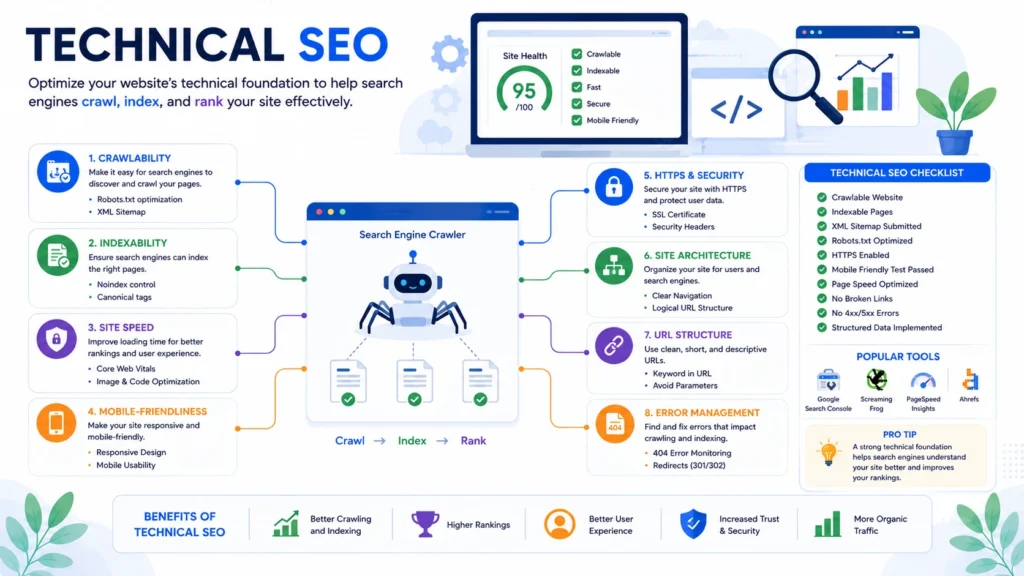
Imagine opening a beautiful retail store.
The interior looks amazing.
The products are well organized.
Your staff is friendly.
But there's one problem.
The front door is locked.
Customers can see the store.
They want to come inside.
But they can't.
That's exactly what happens when your website has technical SEO problems.
Your content might be excellent.
Your keyword research may be perfect.
But if Google struggles to crawl, understand, or load your website, your rankings can suffer.
The good news?
Technical SEO isn't as complicated as it sounds.
You don't need to become a developer.
You simply need to understand the fundamentals that help search engines access and evaluate your website efficiently.
Let's break them down one by one.
What Is Technical SEO?
Technical SEO is the process of optimizing your website's infrastructure so search engines can:
- Discover your pages
- Crawl your content
- Understand your website
- Index important pages
- Deliver a fast, secure experience to users
Think of technical SEO as the foundation of a house.
Visitors admire the design.
Google first checks whether the foundation is strong.
Without a solid foundation, even great content may struggle to perform.
Why Technical SEO Matters
Imagine publishing the best SEO guide on the internet.
Now imagine:
- It takes 12 seconds to load.
- Half the images are broken.
- The page isn't mobile-friendly.
- Google can't find it in your sitemap.
- Important pages are accidentally blocked.
No matter how valuable your content is, those technical issues create unnecessary obstacles.
Technical SEO removes those obstacles.
It helps search engines reach your content and helps users enjoy a smooth experience.
How Google Crawls Your Website
Earlier in this guide, we learned that Google uses crawlers (Googlebot) to discover web pages.
Those crawlers follow links throughout your website.
If your website is well organized, Google can efficiently discover new content.
If your structure is confusing, some pages may never be found.
That's why a logical website architecture matters.
A good structure looks something like this:
Homepage
│
├── SEO
│ ├── SEO Guide
│ ├── Keyword Research
│ ├── Technical SEO
│ └── Local SEO
│
├── Services
│ ├── SEO Services
│ ├── Website Audit
│ └── Content Marketing
│
└── Blog
Every important page should be reachable within a few clicks from your homepage.
💡 Pro Tip
If a page hasno internal links pointing to it, Google may have difficulty discovering it.
These are often calledorphan pages.
Whenever you publish a new article, link to it from relevant existing pages.
XML Sitemap: Your Website's Roadmap
An XML sitemap is a file that lists the important pages on your website.
Think of it as giving Google a roadmap instead of asking it to explore every street on its own.
A sitemap helps search engines:
- Discover new pages
- Find recently updated content
- Understand your site's structure
- Prioritize important URLs
Most modern CMS platforms automatically generate a sitemap.
For WordPress users, plugins like Rank Math or Yoast SEO create one automatically.
After creating your sitemap, submit it throughGoogle Search Console.
This doesn't guarantee rankings, but it helps Google discover your content more efficiently.
⚠️ Common Mistake
Many website owners generate a sitemap once and never update it.
If you've deleted pages or added new content, ensure your sitemap stays current.
An outdated sitemap can slow down crawling and create unnecessary confusion.
Robots.txt: Telling Search Engines Where to Go
Therobots.txt file gives instructions to search engine crawlers.
It tells them which sections of your website they can access—and which they should avoid.
For example, you might block:
- Admin areas
- Login pages
- Temporary files
- Duplicate content
However, be careful.
Accidentally blocking important pages can prevent them from appearing in Google altogether.
💡 Pro Tip
If you're unsure whether a page should be blocked, it's usually safer to leave it crawlable.
Always test changes before updating your robots.txt file.
Indexing: Can Google Actually Store Your Page?
A page can be crawled but still fail to appear in search results.
Why?
Because Google may decide not to index it.
Common reasons include:
- Thin content
- Duplicate content
- Noindex tags
- Poor internal linking
- Soft 404 errors
- Technical issues
One of the easiest ways to check whether a page is indexed is to search:
site:yourwebsite.com/page-url
If your page appears, it's indexed.
If it doesn't, investigate why using Google Search Console.
Website Speed: Every Second Matters
Imagine clicking a website that takes 10 seconds to load.
Would you wait?
Probably not.
Most users expect pages to load almost instantly.
A slow website creates frustration and increases the likelihood that visitors will leave before engaging with your content.
Google also considers page speed as part of the overall user experience.
Ways to Improve Website Speed
- Compress large images
- Use modern image formats like WebP
- Enable browser caching
- Minify CSS and JavaScript
- Remove unnecessary plugins
- Choose reliable web hosting
- Use a Content Delivery Network (CDN)
Even small improvements in speed can have a noticeable impact on user satisfaction.
⚠️ Common Mistake
Installing too many plugins.
Every additional plugin can introduce extra scripts, slow down your site, or create compatibility issues.
Only keep plugins that provide real value.
Mobile-Friendly Design
Today, the majority of Google searches happen on mobile devices.
That's why Google primarily evaluates themobile version of your website when determining rankings.
A mobile-friendly page should:
- Resize automatically on different screen sizes
- Use readable font sizes
- Have buttons that are easy to tap
- Avoid horizontal scrolling
- Load quickly on mobile networks
Always test your pages on a smartphone—not just a desktop computer.
Your visitors won't all be using the same device.
💡 Pro Tip
Before publishing any page, ask yourself:
"Would I enjoy reading this article on my phone?"
If the answer is no, improve the mobile experience before promoting the page.
HTTPS: Build Trust with a Secure Website
Security matters.
Websites should use HTTPS instead of HTTP.
The "S" stands forSecure.
HTTPS encrypts data between your website and its visitors, helping protect sensitive information.
Modern browsers also display warnings for websites that aren't secure.
Fortunately, most hosting providers now offer free SSL certificates, making HTTPS easy to implement.
Canonical Tags: Prevent Duplicate Content
Sometimes the same content is accessible through multiple URLs.
For example:
example.com/seo-guide
and
www.example.com/seo-guide
Without guidance, search engines may treat these as separate pages.
A canonical tag tells Google which version is the preferred one.
This helps consolidate ranking signals and reduces duplicate content issues.
⚠️ Common Mistake
Publishing identical or near-identical content across multiple URLs without using canonical tags.
This can dilute your SEO performance.
Structured Data (Schema Markup)
Schema markup is additional code that helps search engines better understand your content.
It doesn't usually improve rankings directly.
However, it can help your pages qualify for enhanced search results, such as:
- FAQ sections
- Star ratings
- Recipes
- Events
- Product information
- Breadcrumbs
These rich results often attract more attention and improve click-through rates.
If your website uses WordPress, many SEO plugins can generate basic schema automatically.
Core Web Vitals
Google introducedCore Web Vitals to measure how users experience a webpage.
Rather than focusing only on speed, these metrics evaluate:
Largest Contentful Paint (LCP)
How quickly the main content becomes visible.
Interaction to Next Paint (INP)
How responsive the page feels when users interact with it.
Cumulative Layout Shift (CLS)
Whether elements unexpectedly move around while the page is loading.
Imagine trying to click a button, only for it to shift because an image loaded late.
That's a poor user experience—and exactly what CLS measures.
You don't need to memorize every metric.
Just remember the goal:
Create pages that feel fast, stable, and responsive.
💡 Pro Tip
Large images, slow hosting, and excessive JavaScript are among the most common causes of poor Core Web Vitals.
Addressing these issues often improves multiple performance metrics at once.
Fix Broken Links
Broken links create a frustrating experience.
If users click a link and land on a "404 Page Not Found" error, trust decreases.
Regularly audit your website to identify:
- Broken internal links
- Broken external links
- Missing images
- Redirect chains
Fixing these issues improves both user experience and crawl efficiency.
Technical SEO Checklist
Before launching or auditing your website, review this checklist:
✅ Website uses HTTPS
✅ Mobile-friendly design
✅ Fast loading speed
✅ XML sitemap submitted
✅ Robots.txt configured correctly
✅ Important pages are indexed
✅ No broken internal links
✅ Logical website architecture
✅ Canonical tags configured
✅ Structured data implemented where appropriate
✅ Images compressed and optimized
✅ Core Web Vitals monitored
✅ No orphan pages
Key Takeaways
- Technical SEO helps search engines discover, crawl, and understand your website.
- A technically healthy website provides a better experience for both users and search engines.
- Focus on crawlability, indexing, speed, mobile usability, security, and site structure.
- Regular technical audits help identify issues before they impact rankings.
- You don't need to master coding to improve technical SEO—understanding the fundamentals goes a long way.
Up Next: Off-Page SEO
You've optimized your content.
You've strengthened your website's technical foundation.
Now it's time to build something just as important:
Trust.
In the next section, we'll exploreOff-Page SEO, where you'll learn how backlinks, digital PR, brand mentions, and online reputation influence Google's perception of your website—and how to earn authority without relying on outdated or risky tactics.
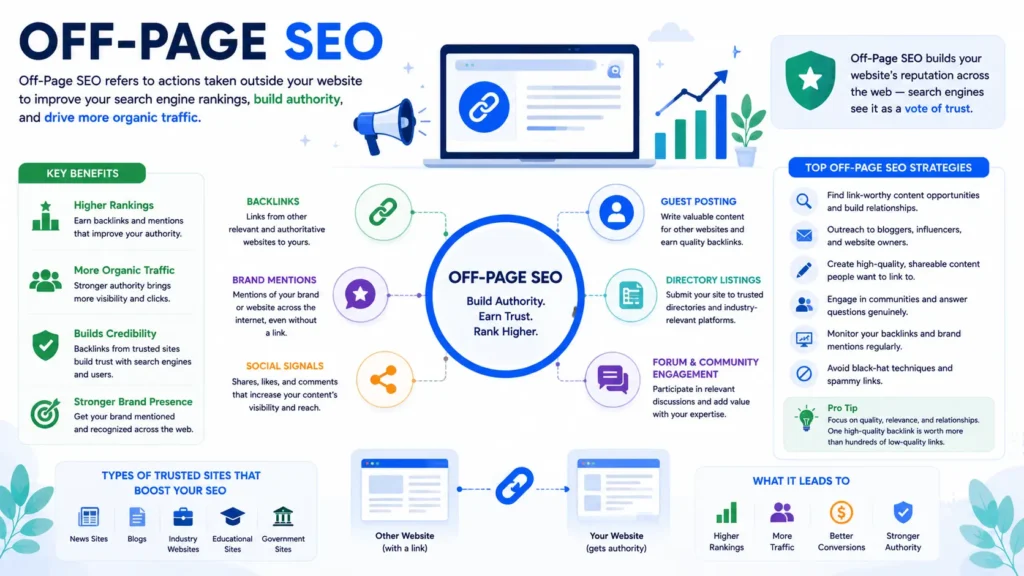
Imagine you've just opened a new restaurant.
The food is excellent.
The service is outstanding.
The atmosphere is welcoming.
But nobody knows you exist.
Now imagine a well-known food blogger visits your restaurant.
They write a glowing review.
A local newspaper features your story.
Customers begin sharing photos online.
Suddenly, more people start visiting.
What changed?
Your food didn't.
Yourreputation did.
Off-page SEO works in much the same way.
While on-page SEO improves your website, off-page SEO builds your website's reputation across the internet.
Google pays attention to what other trustworthy websites say about you.
When respected websites mention your content, link to your pages, or reference your brand, they send signals that your website is credible and valuable.
Those signals can significantly influence your rankings.
What Is Off-Page SEO?
Off-page SEO includes all the activities that happenoutside your website to improve your search engine rankings.
Its primary goal is to build:
- Authority
- Trust
- Credibility
- Brand recognition
The most well-known off-page ranking signal is abacklink, but modern off-page SEO goes far beyond links.
It also includes:
- Brand mentions
- Digital PR
- Online reviews
- Social visibility
- Community engagement
- Expert contributions
- Podcast appearances
- Industry partnerships
Think of off-page SEO as building your reputation across the web.
What Are Backlinks?
A backlink is simply a link from one website to another.
For example:
A marketing blog publishes an article about keyword research and includes a link to your comprehensive SEO guide.
That link is a backlink.
Google views backlinks as recommendations.
If reputable websites consistently link to your content, it's often a sign that your content provides value.
However,not all backlinks carry the same weight.
Quality Beats Quantity
Imagine two scenarios.
Website A
Receives:
- 2,000 backlinks
- From low-quality directories
- Spam blogs
- Irrelevant websites
Website B
Receives:
- 25 backlinks
- From respected marketing blogs
- Universities
- Industry publications
- Trusted business websites
Which website seems more trustworthy?
Clearly, Website B.
Google thinks similarly.
One high-quality backlink can be worth far more than hundreds of low-quality ones.
This is why modern link building focuses on earning links—not buying them.
💡 Pro Tip
Before celebrating a new backlink, ask:
Would I still want this link if Google didn't exist?
If the answer is yes because it sends relevant visitors and builds your brand, it's probably a valuable backlink.
What Makes a High-Quality Backlink?
Several factors influence the value of a backlink.
Relevance
A backlink from a digital marketing website to your SEO guide makes sense.
A backlink from an unrelated website about pet care probably doesn't.
Context matters.
Authority
Links from well-established, trustworthy websites generally carry more weight than links from newly created or low-quality sites.
Placement
A link naturally included within helpful content is often more valuable than one hidden in a footer or sidebar.
Editorial Choice
The strongest backlinks are earned because someone genuinely found your content valuable.
Google places more trust in these editorial links than in links created solely for SEO purposes.
Mini Case Study: One Great Guide Beats 100 Outreach Emails
Imagine a small SEO agency launches a comprehensiveTechnical SEO Checklist.
Instead of sending thousands of generic outreach emails asking for links, they focus on creating the most practical checklist available.
Over the next year:
- Bloggers reference it.
- Marketing newsletters mention it.
- YouTube creators recommend it.
- Freelancers share it with clients.
Without aggressively chasing links, the guide naturally earns dozens of backlinks because it solves a real problem.
That's the type of link building Google wants to reward.
Ethical Link Building Strategies
Let's explore strategies that continue to work in 2026.
1. Publish Exceptional Content
This remains the most sustainable strategy.
People naturally link to content that is:
- Original
- Helpful
- Comprehensive
- Well-designed
- Easy to reference
Examples include:
- Ultimate guides
- Industry research
- Original statistics
- Free templates
- Checklists
- Interactive tools
Create resources that other writers genuinely want to recommend.
2. Digital PR
Digital PR focuses on earning media coverage instead of chasing backlinks.
Examples include:
- Publishing industry reports
- Sharing survey results
- Offering expert commentary
- Creating unique data visualizations
When journalists or publications reference your work, you often earn both exposure and authoritative backlinks.
3. Guest Blogging
Guest blogging still works—when done correctly.
The goal isn't to publish hundreds of low-quality articles.
Instead:
Write genuinely valuable content for respected websites in your industry.
Benefits include:
- Brand exposure
- Referral traffic
- New relationships
- Relevant backlinks
Focus on quality over quantity.
⚠️ Common Mistake
Submitting the same generic guest post to dozens of websites.
Editors can recognize recycled content quickly.
Always tailor your article to the audience you're writing for.
4. Build Free Resources
People love linking to resources that save time.
Examples include:
- SEO checklists
- Content templates
- Website audit worksheets
- Keyword research spreadsheets
- Calculators
- Free tools
Useful resources often continue earning backlinks for years.
5. Create Original Research
Original data is one of the strongest link magnets.
If your website publishes unique research, others may cite it in:
- Blog posts
- Reports
- Presentations
- News articles
Even a small survey within your niche can become a valuable source.
What About Social Media?
Social media links generally don't pass the same ranking value as editorial backlinks.
However, social platforms still play an important role.
They help you:
- Reach new audiences
- Increase brand awareness
- Encourage content sharing
- Build relationships
- Generate referral traffic
Sometimes a journalist, blogger, or business owner discovers your content through social media and later links to it from their website.
So while social media may not directly improve rankings, it can indirectly support your SEO efforts.
Brand Mentions Matter
Google has become increasingly capable of understanding brands—not just links.
If respected websites consistently mention your business, even without linking, those mentions can contribute to your overall online presence.
Examples include:
- Podcast interviews
- Conference speaker pages
- Industry roundups
- Expert quotes
- News coverage
Build your brand, not just your backlink profile.
Avoid Black Hat Link Building
Some tactics may promise quick rankings but often create long-term risks.
Avoid practices such as:
- Buying backlinks
- Private Blog Networks (PBNs)
- Automated link-building software
- Comment spam
- Link exchanges at scale
- Hidden links
- Low-quality directory submissions
Google's algorithms have become increasingly effective at identifying unnatural link patterns.
Shortcuts rarely produce lasting results.
⚠️ Common Mistake
Buying hundreds of backlinks from online marketplaces.
These links often come from unrelated, low-quality websites and can damage your site's credibility over time.
If a link seems too easy to acquire, ask yourself why.
Monitor Your Backlink Profile
Building backlinks isn't enough.
You should also monitor them.
Look for:
- New backlinks
- Lost backlinks
- Broken backlinks
- Spammy domains
- Referral traffic
- Anchor text diversity
Regular monitoring helps you understand which content attracts links and where new opportunities exist.
Off-Page SEO Checklist
Before considering your off-page strategy complete, ask yourself:
✅ Are you creating content people genuinely want to reference?
✅ Have you earned links from relevant websites?
✅ Is your brand being mentioned across trusted platforms?
✅ Are you building relationships within your industry?
✅ Are you avoiding manipulative link schemes?
✅ Do you regularly monitor your backlink profile?
Remember:
Your reputation grows through consistent value—not shortcuts.
Key Takeaways
- Off-page SEO focuses on building your website's authority and trust.
- Backlinks remain important, but quality matters far more than quantity.
- The best links are earned through genuinely helpful content.
- Digital PR, guest blogging, free resources, and original research are sustainable link-building strategies.
- Avoid manipulative tactics that prioritize volume over value.
- Think beyond backlinks—build a recognizable brand that people naturally talk about and recommend.
Up Next: Link Building
We've discussed why backlinks matter.
Now it's time to answer the practical question:
How do you actually earn them?
In the next section, we'll walk through a complete, beginner-friendlylink-building framework, including outreach strategies, content ideas that naturally attract links, broken link building, HARO-style opportunities, competitor backlink analysis, and a step-by-step process you can start using immediately.
Link Building: A Practical Guide to Earning High-Quality Backlinks in 2026
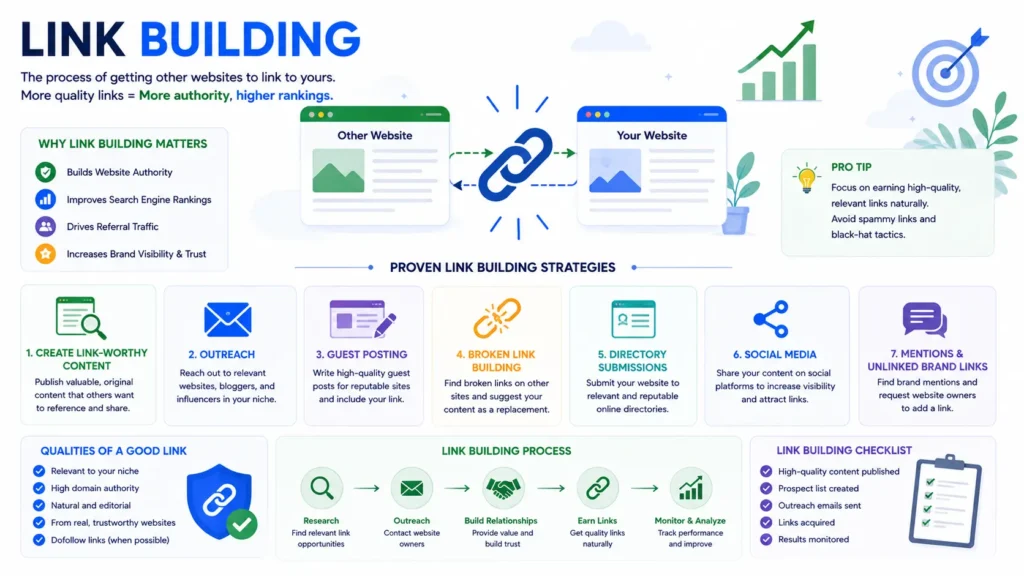
Imagine you've written the best SEO article on the internet.
It's comprehensive.
It's well-designed.
It answers every question.
But there's a problem.
Nobody knows it exists.
Publishing great content is only half the job.
The other half is helping the right people discover it.
That's wherelink building comes in.
Link building isn't about manipulating Google.
It's about creating content worth recommending and putting it in front of the people who will genuinely find it useful.
When trusted websites choose to link to your content, Google sees those links as signals that your page is valuable.
Over time, those signals can improve your authority and help your pages rank higher.
What Is Link Building?
Link building is the process of earning hyperlinks from other websites to your own.
Every backlink acts like a vote of confidence.
But remember:
Not every vote carries the same weight.
A recommendation from a respected industry publication is far more valuable than hundreds of links from low-quality websites.
That's why successful link building is built onrelationships and value, not shortcuts.
Why Backlinks Still Matter
Google uses hundreds of ranking signals.
Backlinks are only one of them.
But they remain an important way for search engines to understand whether other websites trust your content.
Imagine two articles covering the same topic.
Article A
- Helpful content
- No backlinks
Article B
- Equally helpful content
- Referenced by universities, industry blogs, and respected publications
All else being equal, Article B has a stronger signal of authority.
Backlinks don't replace great content.
They amplify it.
Build Link-Worthy Content First
Before you think about outreach, ask yourself one question:
Why would someone link to this page?
If you can't answer that question, it's time to improve the content.
The easiest pages to earn backlinks are those that provide lasting value.
Examples include:
- Ultimate guides
- Original research
- Industry statistics
- Case studies
- Templates
- Free tools
- Checklists
- Infographics
- Interactive calculators
These are often calledlinkable assets because they're genuinely useful resources that other creators want to reference.
💡 Pro Tip
Before promoting an article, compare it with the top five Google results.
Ask yourself:
- Is my guide more complete?
- Is it easier to understand?
- Does it include original examples?
- Does it solve problems more clearly?
- Would I choose my article over the others?
If the answer is "yes," you're ready to begin outreach.
Strategy 1: Guest Blogging
Guest blogging remains one of the safest ways to earn relevant backlinks when done correctly.
The idea is simple.
You write a valuable article for another website in your industry.
In return, you usually receive:
- Brand exposure
- Referral traffic
- A relevant backlink
- New professional relationships
The goal isn't to publish on hundreds of websites.
Instead, focus on websites your target audience already reads.
For example, if you run an SEO agency, writing for marketing publications makes far more sense than publishing on unrelated websites.
Quality always beats quantity.
Strategy 2: Broken Link Building
The internet changes constantly.
Websites are redesigned.
Pages are deleted.
Resources disappear.
As a result, many websites unknowingly contain broken links.
Broken link building is the process of:
- Finding broken links on relevant websites.
- Creating or identifying similar content on your own site.
- Politely suggesting your page as a replacement.
You're helping the website owner improve their content while earning a relevant backlink.
It's a win-win strategy.
Mini Case Study
Imagine a marketing blog links to an outdated SEO checklist that now returns a 404 error.
You've published a fresh, detailed SEO checklist.
You send the editor a short email:
"I noticed one of the resources in your article no longer works. We recently published an updated SEO checklist that covers the same topic. If you think it would help your readers, feel free to use it as a replacement."
The editor appreciates the heads-up.
You earn a quality backlink.
Everyone benefits.
Strategy 3: Digital PR
Some of the strongest backlinks come from news websites and industry publications.
Rather than asking for links directly, create something newsworthy.
Ideas include:
- Original industry surveys
- Annual reports
- Market research
- Trend analyses
- Expert commentary
- Interactive studies
Journalists are constantly looking for credible sources.
If your content provides unique insights, they're more likely to reference it.
Strategy 4: Resource Page Link Building
Many websites maintain resource pages.
Examples include:
- Recommended SEO tools
- Helpful marketing guides
- Learning resources
- Business templates
If your content genuinely fits the page, you can introduce it to the website owner.
Keep your message concise.
Explain why your resource would benefit their audience.
Never demand a link.
Strategy 5: Competitor Backlink Analysis
One of the smartest ways to discover link opportunities is to study your competitors.
Ask questions like:
- Which websites link to them?
- Which pages attract the most backlinks?
- Why are people referencing those pages?
- Can I create something better?
This doesn't mean copying.
It means identifying patterns.
Perhaps every successful SEO blog has:
- A free checklist
- Original research
- Beginner tutorials
- Downloadable templates
Those patterns reveal what your audience values.
💡 Pro Tip
Don't obsess over copying individual backlinks.
Instead, understandwhy those links were earned.
That's where the real opportunity lies.
Strategy 6: Build Free Resources
People love resources that save time.
Examples include:
- SEO audit template
- Keyword research spreadsheet
- Content calendar
- Website launch checklist
- Internal linking planner
- Meta description generator
Useful resources naturally attract links because they provide ongoing value.
They also encourage repeat visits to your website.
Strategy 7: Become a Trusted Expert
Not every backlink comes from content.
Many are earned through expertise.
Share your knowledge by:
- Speaking at webinars
- Joining podcasts
- Participating in interviews
- Writing expert quotes
- Contributing to industry roundups
- Publishing thoughtful insights on LinkedIn
The more visible your expertise becomes, the more likely people are to reference your work.
Writing Effective Outreach Emails
Good outreach doesn't feel like a sales pitch.
It feels like starting a conversation.
A simple structure works well:
Subject
A quick suggestion for your SEO resources page
Hi [Name],
I was reading your article on[Topic] and noticed you shared several helpful resources.
We recently published a comprehensive guide on[Topic] that includes updated examples, practical checklists, and beginner-friendly explanations.
If you think it would be useful for your readers, I'd be honored if you considered adding it to your article.
Either way, thanks for creating such valuable content.
Best regards,
[Your Name]
Keep it personal.
Keep it respectful.
Keep it brief.
⚠️ Common Mistake
Sending the same generic email to hundreds of websites.
Editors receive these messages every day.
Personalized outreach consistently performs better than mass email campaigns.
Understanding Anchor Text
Anchor text is the clickable text within a hyperlink.
Example:
Instead of:
Click here
Use:
Learn more in ourTechnical SEO Guide
Descriptive anchor text helps users understand where the link leads.
It also gives search engines additional context.
However, avoid forcing the exact same keyword into every backlink.
Natural variety is healthier.
Examples include:
- SEO Guide
- Beginner's SEO tutorial
- Learn search engine optimization
- Complete guide to SEO
- This helpful SEO resource
Do-follow vs No-follow Links
You'll often hear these terms when discussing backlinks.
Do-follow Links
These are standard links that allow search engines to follow them and pass ranking signals.
No-follow Links
These include an attribute telling search engines not to treat the link in the same way.
Does that mean no-follow links are worthless?
Not at all.
They can still:
- Send referral traffic
- Increase brand awareness
- Build relationships
- Lead to future editorial links
Focus on earning relevant links rather than worrying about every technical detail.
Measure Your Link-Building Success
Track progress using metrics such as:
- New backlinks earned
- Referring domains
- Referral traffic
- Organic traffic growth
- Keyword rankings
- Brand mentions
Remember:
The goal isn't simply to collect links.
It's to increase visibility, authority, and qualified traffic.
A Simple 90-Day Link-Building Plan
Month 1
- Publish one outstanding pillar guide.
- Create two downloadable resources.
- Improve internal linking.
Month 2
- Reach out to relevant blogs.
- Submit guest post ideas.
- Build relationships on LinkedIn.
- Share your content consistently.
Month 3
- Publish original research.
- Update existing content.
- Continue outreach.
- Monitor backlinks and refine your approach.
This gradual, relationship-focused approach is far more sustainable than chasing quick wins.
Link Building Checklist
Before starting any campaign, ask yourself:
✅ Is my content genuinely worth linking to?
✅ Does it provide unique value?
✅ Am I contacting relevant websites?
✅ Is my outreach personalized?
✅ Am I building relationships instead of chasing links?
✅ Am I avoiding manipulative tactics?
Key Takeaways
- Link building is about earning trust, not buying authority.
- Great content should come before outreach.
- Focus on quality, relevance, and long-term relationships.
- Guest blogging, digital PR, free resources, and original research remain effective strategies.
- Personalized outreach consistently outperforms mass email campaigns.
- Sustainable link building supports both your rankings and your brand.
Up Next: Local SEO
Not every business wants traffic from around the world.
Many businesses only need customers from a specific city or region.
If you own a local business—or serve clients in a particular area—Local SEO can become one of your most valuable marketing channels.
In the next section, we'll explore how to rank in Google's local search results, optimize your Google Business Profile, attract more local customers, and build trust within your community.
Local SEO: How to Rank Higher in Local Search and Get More Customers
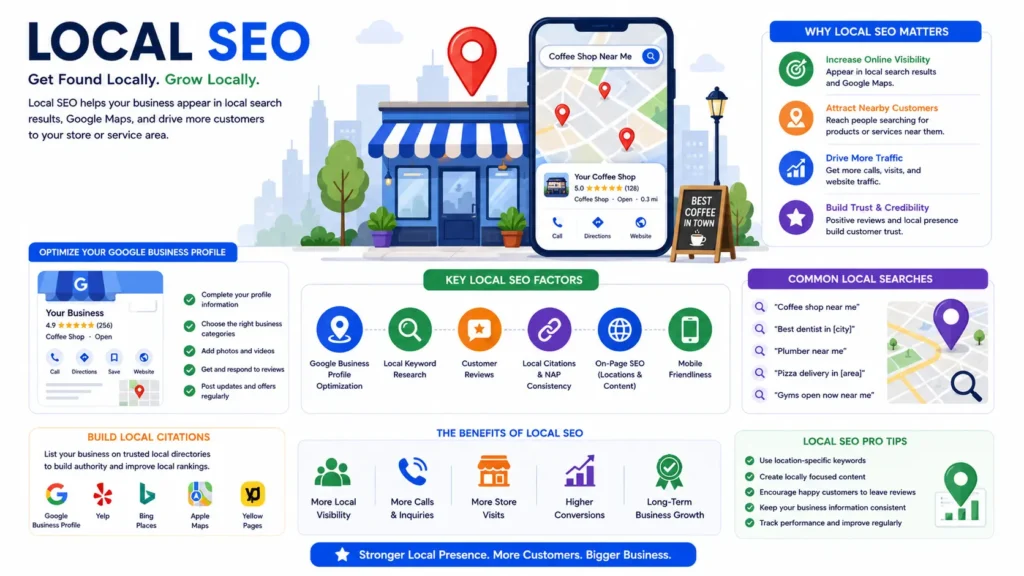
Imagine you're craving a cup of coffee.
You pull out your phone and search:
Coffee shop near me
Within seconds, Google shows a map with nearby cafés, customer reviews, opening hours, photos, and directions.
You choose one with hundreds of positive reviews and visit it.
You probably didn't scroll to page two.
You didn't compare twenty websites.
You trusted Google's local recommendations.
Now imagine you're a business owner.
Wouldn't you want your business to appear in those results?
That's exactly whatLocal SEO helps you achieve.
If your business serves customers in a specific city, neighborhood, or region, local SEO can become one of your most powerful marketing channels.
Instead of attracting visitors from around the world, it connects you with people who are nearby and actively looking for your products or services.
What Is Local SEO?
Local SEO is the process of optimizing your online presence so your business appears in location-based searches.
Examples include:
- SEO agency in Bangalore
- Dentist near me
- Best restaurant in Whitefield
- Electrician in Chennai
- Digital marketing company in Hyderabad
These searches have strong commercial intent.
The user isn't just browsing.
They're often looking for a business they can contact or visit right away.
That makes local SEO especially valuable for service providers and brick-and-mortar businesses.
Why Local SEO Matters
Think about your own search habits.
When you're looking for a nearby service, you probably want quick answers:
- Which business is closest?
- Is it open now?
- Does it have good reviews?
- Can I call them?
- How do I get there?
Google understands this behavior.
That's why local search results often include:
- A map
- Business listings
- Ratings
- Photos
- Opening hours
- Phone numbers
- Directions
Appearing in these results can generate:
- Phone calls
- Website visits
- Store visits
- Appointment bookings
- Qualified leads
For many local businesses, these actions are far more valuable than simply increasing website traffic.
How Google Determines Local Rankings
Google has explained that local rankings are primarily influenced by three factors:
1. Relevance
Does your business match what the user is searching for?
If someone searches:
SEO consultant in Bangalore
Google looks for businesses that clearly offer SEO services.
The more complete and accurate your business information is, the easier it is for Google to understand what you do.
2. Distance
How close is your business to the searcher's location?
You can't control where people search from.
But you can ensure your business location is accurate and consistently listed across the web.
3. Prominence
Prominence refers to how well-known and trustworthy your business appears online.
Signals include:
- Reviews
- Backlinks
- Brand mentions
- Local citations
- Website authority
- Media coverage
Businesses with strong reputations often perform better in local search results.
Google Business Profile: Your Most Important Local SEO Asset
If you only do one thing for local SEO, make it this:
Optimize yourGoogle Business Profile (GBP).
Your Google Business Profile is what appears in Google Maps and many local search results.
It allows potential customers to see essential information before they even visit your website.
A well-optimized profile can significantly increase calls, direction requests, and website visits.
Step-by-Step Google Business Profile Optimization
Let's walk through the essentials.
Step 1: Claim and Verify Your Profile
If your business hasn't been claimed yet, verify ownership through Google's verification process.
Verification confirms that you're authorized to manage the business information shown in search results.
Step 2: Choose the Right Business Categories
Your primary category tells Google what your business does.
Choose the category that best reflects your core service.
Then add relevant secondary categories where appropriate.
For example:
Primary:
- SEO Agency
Secondary:
- Internet Marketing Service
- Marketing Consultant
- Advertising Agency
Avoid adding unrelated categories just to appear in more searches.
Accuracy matters more than quantity.
Step 3: Complete Every Section
Many businesses fill out only the basics.
Don't stop there.
Complete every relevant field, including:
- Business description
- Phone number
- Website
- Address
- Business hours
- Services
- Products (if applicable)
- Service areas
- Appointment links
- FAQs
- Attributes
A complete profile helps Google understand your business and builds trust with potential customers.
💡 Pro Tip
Write your business description for people first.
Naturally mention your primary services and location, but avoid stuffing keywords.
Focus on clearly explaining how you help customers.
Step 4: Add High-Quality Photos
People trust businesses that look real.
Upload photos such as:
- Office exterior
- Office interior
- Team members
- Products
- Services in action
- Before-and-after results (when appropriate)
Businesses that regularly update photos often appear more active and trustworthy.
Step 5: Collect Customer Reviews
Reviews are one of the strongest local trust signals.
They influence both:
- Customer decisions
- Google's understanding of your business reputation
Encourage satisfied customers to leave honest reviews.
Never purchase fake reviews.
They're against Google's guidelines and can damage your credibility.
⚠️ Common Mistake
Only asking for reviews when everything goes perfectly.
Instead, make review requests part of your normal customer experience.
A steady stream of genuine reviews looks far more natural than receiving dozens all at once.
Step 6: Respond to Every Review
Whether the review is positive or negative, respond professionally.
Thank happy customers.
Address concerns respectfully.
Responding shows that your business values customer feedback.
It also demonstrates activity, which helps keep your profile current.
Step 7: Publish Google Business Updates
Your profile isn't something you optimize once and forget.
Regularly publish updates such as:
- New services
- Special offers
- Blog articles
- Business announcements
- Event information
Fresh activity keeps your profile informative and engaging.
Keep Your NAP Information Consistent
NAP stands for:
- Name
- Address
- Phone Number
Your NAP information should be identical across:
- Your website
- Google Business Profile
- Social media profiles
- Business directories
- Local listings
For example:
If one website lists:
Digital Traffic Works
And another lists:
DigitalTrafficWorks Pvt Ltd.
Google may have difficulty determining whether they're the same business.
Consistency builds confidence.
Mini Case Study
Imagine a local accounting firm.
Its Google Business Profile lists one phone number.
Its website lists another.
Several directories still show the firm's old office address.
Customers become confused.
Google becomes less confident in the business information.
After updating every listing with consistent details, the firm's local visibility gradually improves because Google can more confidently match all the signals.
Build Local Citations
A local citation is any online mention of your business's:
- Name
- Address
- Phone Number
These citations appear on:
- Business directories
- Chamber of commerce websites
- Industry associations
- Local business listings
Quality matters more than submitting your business to hundreds of random directories.
Focus on reputable, relevant platforms.
Create Location-Specific Pages
If your business serves multiple cities, create dedicated pages for each location.
Instead of one generic services page, you might have:
- SEO Services in Bangalore
- SEO Services in Chennai
- SEO Services in Hyderabad
Each page should include:
- Unique content
- Local information
- Customer testimonials from that area (when available)
- Relevant FAQs
- Service details tailored to the location
Avoid duplicating the same content and simply changing the city name.
Each page should genuinely serve users in that location.
💡 Pro Tip
Mention local landmarks, neighborhoods, industries, or common customer challenges where relevant.
Authentic local context helps users and demonstrates relevance.
Earn Local Backlinks
Local backlinks strengthen your local authority.
Opportunities include:
- Local business associations
- Community organizations
- Local newspapers
- Event sponsorships
- Universities
- Charities
- Networking groups
These links are often highly relevant because they connect your business with the local community you serve.
Optimize for "Near Me" Searches
You don't need to write the phrase "near me" repeatedly.
Instead:
- Clearly specify your service areas.
- Maintain accurate location information.
- Build local citations.
- Collect reviews.
- Create location-specific content.
Google uses location signals to determine whether your business is relevant for nearby searches.
Local SEO Checklist
Before considering your local SEO complete, review this checklist:
✅ Claim and verify your Google Business Profile
✅ Select accurate business categories
✅ Complete every profile section
✅ Upload high-quality photos
✅ Encourage genuine customer reviews
✅ Respond to all reviews
✅ Keep NAP information consistent
✅ Build reputable local citations
✅ Create unique location pages where appropriate
✅ Earn backlinks from local organizations
✅ Publish regular updates to your Google Business Profile
Key Takeaways
- Local SEO helps businesses connect with nearby customers who are actively searching for their services.
- Google Business Profile is one of the most influential local ranking factors.
- Consistent business information, positive reviews, and strong local signals build trust with both users and search engines.
- Create location-specific content that genuinely helps local audiences.
- Local SEO isn't about reaching everyone—it's about reaching the right people at the right time.
Up Next: E-E-A-T Explained
You can have great content.
You can have fast-loading pages.
You can even have strong backlinks.
But if Google doesn't trust your website, competing for valuable keywords becomes much harder.
In the next section, we'll exploreE-E-A-T—Experience, Expertise, Authoritativeness, and Trustworthiness—and learn how to demonstrate credibility in a way that benefits both users and search engines.
E-E-A-T Explained: How to Build Trust That Google and Your Audience Value
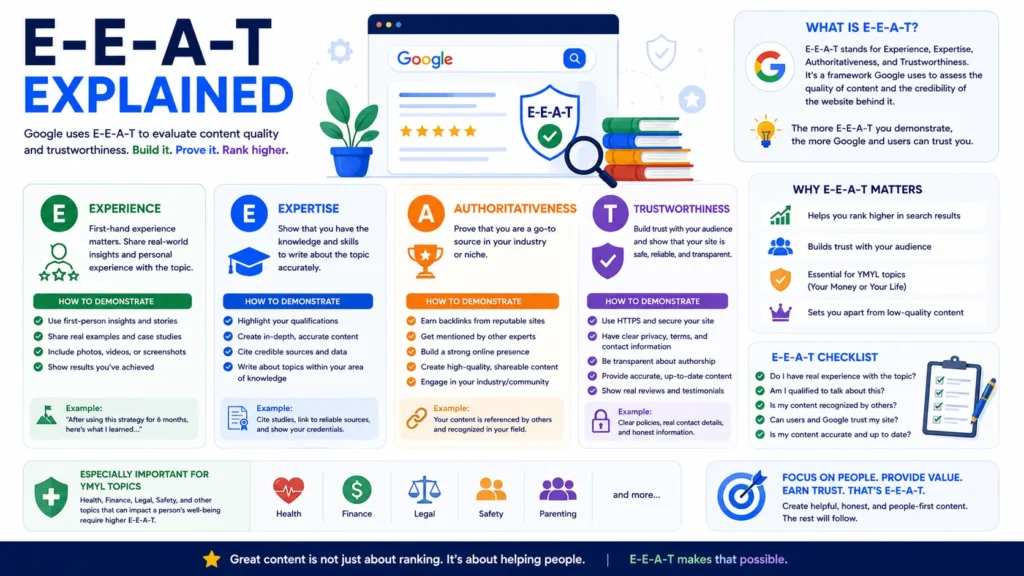
Imagine you have a severe toothache.
You search Google for:
How to treat a tooth infection at home
You open two articles.
The first one is written by an anonymous author.
There's no information about who wrote it.
No references.
No publication date.
No contact information.
The second article is written by a licensed dentist.
It includes practical advice, references to trusted medical sources, a recent update date, and clear information about the author and clinic.
Which article would you trust?
For most people, the answer is obvious.
Google thinks the same way.
When topics can affect someone's health, finances, safety, or important decisions, trust becomes essential.
Even for topics like SEO or digital marketing, credibility helps readers feel confident in your advice.
That's whereE-E-A-T comes in.
What Is E-E-A-T?
E-E-A-T stands for:
- Experience
- Expertise
- Authoritativeness
- Trustworthiness
These concepts come from Google'sSearch Quality Rater Guidelines.
Quality raters don't directly decide where pages rank.
Instead, they evaluate whether Google's search systems are surfacing helpful, trustworthy content.
The long-term goal of Google's algorithms is to reward pages that demonstrate these qualities.
Think of E-E-A-T as a framework for creating content people can confidently rely on.
The Four Pillars of E-E-A-T
Let's look at each one.
1. Experience
Experience answers one important question:
Has the author actually done this?
People often trust first-hand experience because it goes beyond theory.
Imagine two articles about conducting an SEO audit.
The first explains the process using generic advice.
The second includes screenshots, lessons learned from real client projects, common mistakes encountered, and practical recommendations.
Which one feels more credible?
Usually the second.
First-hand experience makes content more useful because it reflects real-world application.
Examples of Demonstrating Experience
You can show experience by including:
- Lessons from real projects
- Original screenshots
- Before-and-after examples
- Personal observations
- Practical workflows
- Challenges you encountered
- Results you achieved
For example:
Instead of writing:
"Internal links are important."
You could write:
"When we reorganized internal links across a client's blog, we noticed Google discovered new pages more quickly and visitors spent more time exploring related content."
Real examples help readers connect theory with practice.
💡 Pro Tip
Don't invent experience.
Share only examples you've genuinely worked through or clearly explain when you're discussing general best practices.
Authenticity builds long-term trust.
2. Expertise
Expertise focuses on your knowledge and ability within a topic.
Ask yourself:
Can I explain this subject accurately and clearly?
Expertise isn't demonstrated by using complicated language.
It's demonstrated by making complex ideas understandable.
A great teacher doesn't impress people by sounding confusing.
They impress people by making difficult concepts simple.
For example, throughout this guide we've used:
- Real-life analogies
- Step-by-step explanations
- Practical examples
- Actionable checklists
That's a strong way to demonstrate expertise.
Ways to Demonstrate Expertise
- Publish comprehensive guides
- Explain concepts clearly
- Keep information up to date
- Use accurate terminology
- Correct outdated advice
- Support claims with reliable evidence where appropriate
Expertise grows over time as you consistently publish high-quality content.
3. Authoritativeness
Authority is largely about reputation.
It's not something you declare.
It's something you earn.
Ask yourself:
Do other people recognize this website as a reliable source?
Authority can be strengthened through:
- Quality backlinks
- Industry mentions
- Podcast appearances
- Speaking engagements
- Expert interviews
- Positive brand recognition
- Helpful resources that others reference
Think of authority like professional recommendations.
The more respected people who recognize your work, the stronger your reputation becomes.
Mini Case Study
Imagine two SEO blogs.
Blog A
Publishes useful content but rarely promotes it.
Almost nobody references the articles.
Blog B
Publishes equally helpful content.
The articles are cited by marketing newsletters.
Industry blogs reference them.
Speakers recommend them during webinars.
As a result, Blog B develops stronger authority over time.
The quality of the content matters.
So does the reputation it earns.
4. Trustworthiness
Google has said thatTrust is the most important element of E-E-A-T.
You can have experience.
You can have expertise.
You can even have authority.
But if users don't trust your website, the other signals lose much of their value.
Trust comes from being honest, transparent, and accurate.
Ways to Build Trust
Be Transparent
Clearly identify:
- Who wrote the article
- When it was published
- When it was last updated
- How readers can contact you
Transparency helps readers understand who's behind the content.
Keep Content Accurate
SEO changes constantly.
An article that was accurate three years ago may now contain outdated recommendations.
Review your content regularly.
Update:
- Statistics
- Examples
- Best practices
- Screenshots
- Tool recommendations
Fresh, accurate information builds confidence.
Cite Reliable Sources
When referencing statistics, research, or official guidance, cite trustworthy sources.
For SEO topics, examples might include:
- Google's Search Central documentation
- Academic research where relevant
- Official product documentation
- Reputable industry studies
This allows readers to verify important claims for themselves.
Make Contact Information Easy to Find
A legitimate business should be easy to contact.
Include:
- Contact page
- Business email
- Social profiles
- About page
Clear contact information reassures both users and potential clients.
Secure Your Website
Trust also includes technical aspects.
Visitors should feel safe using your website.
Use:
- HTTPS
- Clear privacy policies
- Accessible navigation
- Secure forms
A trustworthy experience extends beyond the content itself.
⚠️ Common Mistake
Publishing anonymous articles without explaining who created them.
If you've invested time developing expertise, don't hide it.
Readers appreciate knowing who's behind the advice they're following.
E-E-A-T for SEO Websites
If your website teaches SEO, you don't need to be the world's largest agency.
You simply need to demonstrate credibility consistently.
Examples include:
- Sharing real campaign insights
- Explaining what worked—and what didn't
- Publishing original checklists
- Creating detailed tutorials
- Updating articles regularly
- Displaying author information
- Highlighting client success stories (with permission)
These signals help readers—and search engines—understand why your content deserves attention.
Practical Ways to Improve E-E-A-T
Here's a simple checklist you can implement.
On Every Important Article
✅ Include an author name
✅ Add a short author bio
✅ Display the publication date
✅ Show the last updated date
✅ Use original examples where possible
✅ Link to reliable supporting sources
✅ Keep information accurate
✅ Add internal links to related resources
Across Your Website
✅ Create an About page
✅ Publish a Contact page
✅ Add Privacy Policy and Terms pages
✅ Showcase testimonials where appropriate
✅ Highlight certifications or relevant experience honestly
✅ Publish content consistently
💡 Pro Tip
You don't need decades of experience to build trust.
You need honesty, consistency, and a genuine desire to help your audience.
Readers quickly recognize authentic expertise.
Why E-E-A-T Matters Even More in the Age of AI
AI can generate thousands of articles in minutes.
What it can't automatically provide is:
- Real-world experience
- Original case studies
- Unique insights
- Personal observations
- Authentic expertise
That's your advantage.
As AI-generated content becomes more common, original human experience becomes even more valuable.
Instead of competing on volume, compete on authenticity.
Share what you've learned.
Explain what surprised you.
Document your own process.
Those are things no generic article can fully replicate.
Key Takeaways
- E-E-A-T stands for Experience, Expertise, Authoritativeness, and Trustworthiness.
- It's a framework from Google's Search Quality Rater Guidelines—not a direct ranking score.
- Trust is the foundation of strong, helpful content.
- First-hand experience, accurate information, transparency, and a strong reputation all contribute to credibility.
- As AI-generated content grows, original insights and real experience become even more valuable.
Up Next: SEO Tools
By now, you understand the principles behind successful SEO.
The next question is practical:
Which tools should you actually use?
In the next chapter, we'll cover the best free and paid SEO tools for keyword research, technical audits, rank tracking, competitor analysis, site performance, and content optimization—along with recommendations on when each tool is worth using.
SEO Tools: The Best Free and Paid Tools to Grow Your Website in 2026
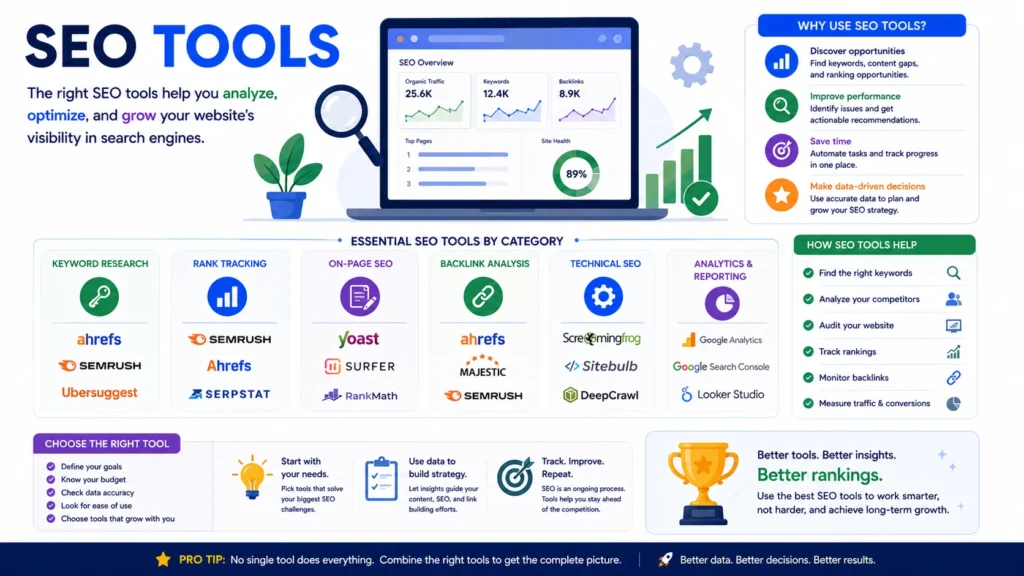
Imagine trying to build a house with nothing but a hammer.
You might eventually finish.
But it would take much longer than it should.
SEO is similar.
You can optimize a website without specialized tools.
But the right tools help you work faster, discover opportunities, identify problems, and measure your progress.
Here's the important thing, though:
SEO tools don't improve rankings.
People do.
Tools simply provide the information you need to make better decisions.
A beginner with excellent SEO knowledge and free tools will usually outperform someone with expensive software but no strategy.
Let's look at the tools that genuinely make SEO easier.
Do You Need Paid SEO Tools?
No.
Many successful websites start using free tools.
As your website grows, premium platforms can save time and provide deeper insights.
If you're just getting started, learn the fundamentals first.
Don't feel pressured to subscribe to every SEO platform.
Understanding SEO is far more valuable than owning expensive software.
Keyword Research Tools
Keyword research helps you discover what your audience is searching for.
Google Keyword Planner
Best for:
- Keyword ideas
- Search trends
- Commercial keywords
Although designed for advertisers, it's still useful for discovering keyword opportunities.
Google Search Console
One of the most valuable free SEO tools available.
It shows:
- Search queries
- Clicks
- Impressions
- Average rankings
- Click-through rate (CTR)
Instead of guessing what people search for, you can see the actual queries bringing visitors to your website.
Ahrefs
One of the industry's most comprehensive SEO platforms.
Excellent for:
- Keyword research
- Competitor analysis
- Backlink research
- Content opportunities
It's particularly helpful once your website begins competing in more competitive niches.
Semrush
Another popular all-in-one SEO platform.
Useful for:
- Keyword research
- Site audits
- Rank tracking
- Content optimization
- Competitor analysis
Many agencies use Semrush to manage multiple client websites.
Ubersuggest
A beginner-friendly alternative.
Useful for:
- Keyword ideas
- Basic SEO audits
- Competitor research
It doesn't provide the same depth as enterprise tools but offers a gentle learning curve.
💡 Pro Tip
Don't chase keywords solely because they have high search volume.
Choose keywords that match your audience, your expertise, and your business goals.
Technical SEO Tools
Even experienced SEO professionals regularly audit websites.
These tools make the process easier.
Google Search Console
Again, this deserves mention.
It helps identify:
- Indexing issues
- Crawl errors
- Sitemap status
- Mobile usability concerns
- Core Web Vitals
If you own a website, connecting it to Google Search Console should be one of your first steps.
PageSpeed Insights
Website speed directly affects user experience.
PageSpeed Insights analyzes your pages and suggests performance improvements.
It highlights opportunities such as:
- Large images
- Render-blocking resources
- Slow loading elements
Treat it as a guide—not a score to obsess over.
Screaming Frog SEO Spider
One of the best website auditing tools.
It crawls your website and identifies issues such as:
- Broken links
- Duplicate titles
- Missing meta descriptions
- Redirect chains
- Indexing problems
Think of it as performing a technical health check for your website.
Rich Results Test
If you're using structured data (Schema Markup), this tool helps verify whether Google can understand it correctly.
It's particularly useful for:
- FAQs
- Products
- Articles
- Breadcrumbs
Competitor Analysis Tools
Understanding your competitors helps uncover opportunities.
Useful questions include:
- Which keywords are they ranking for?
- Which pages attract the most traffic?
- Where are their backlinks coming from?
- Which topics perform best?
Tools like Ahrefs and Semrush make this analysis much easier.
Remember:
The goal isn't to copy competitors.
It's to identify gaps where you can provide something better.
Mini Case Study
Imagine a competitor ranks well for:
Technical SEO Checklist
After analyzing the page, you notice:
- It's outdated.
- It lacks screenshots.
- It doesn't explain why each step matters.
Instead of copying it, you create:
- A more comprehensive guide
- Updated examples
- Downloadable checklist
- Beginner-friendly explanations
That's how competitor research should inspire improvement—not imitation.
Rank Tracking Tools
Monitoring rankings helps you understand whether your SEO efforts are working.
Popular options include:
- Ahrefs
- Semrush
- SE Ranking
- Wincher
Track trends over time rather than checking rankings every day.
SEO is a long-term process.
Daily fluctuations are normal.
⚠️ Common Mistake
Checking keyword rankings every morning.
Instead, review performance weekly or monthly.
Focus on long-term growth rather than short-term fluctuations.
Analytics Tools
Traffic alone doesn't tell the whole story.
You also need to understand how visitors behave.
Google Analytics
Useful for tracking:
- Organic traffic
- User engagement
- Popular pages
- Conversions
- Traffic sources
These insights help you understand what's working—and what needs improvement.
Content Optimization Tools
Writing is only the first step.
Optimization helps improve clarity and completeness.
Popular tools include:
- Grammarly
- Hemingway Editor
- Surfer SEO
- Clearscope
- Frase
Remember:
These tools provide suggestions.
They don't replace thoughtful writing or genuine expertise.
Always edit with your audience in mind.
Local SEO Tools
If you serve local customers, these tools can help.
Google Business Profile
Essential for:
- Local visibility
- Reviews
- Business updates
- Directions
- Customer engagement
BrightLocal
Helpful for:
- Local citation management
- Review monitoring
- Local rank tracking
Whitespark
Useful for:
- Citation building
- Local search analysis
- Reputation management
Backlink Analysis Tools
Knowing who links to your website helps you understand your authority.
Useful metrics include:
- Referring domains
- New backlinks
- Lost backlinks
- Anchor text
- Link quality
Ahrefs and Semrush both provide comprehensive backlink reports.
AI-Powered SEO Tools
Artificial intelligence is changing SEO workflows.
Useful applications include:
- Brainstorming article ideas
- Creating outlines
- Improving readability
- Organizing research
- Generating FAQs
- Summarizing content
AI should accelerate your workflow—not replace your expertise.
Always review and refine AI-assisted content before publishing.
💡 Pro Tip
Use AI to save time on repetitive tasks.
Use your own experience to create value that competitors can't easily replicate.
Which SEO Tools Should Beginners Use?
If you're just starting, here's a simple toolkit.
Free
- Google Search Console
- Google Analytics
- Google Keyword Planner
- PageSpeed Insights
- Rich Results Test
These tools are more than enough to learn SEO fundamentals.
As your website grows, consider adding premium platforms based on your needs.
SEO Tool Checklist
Ask yourself:
✅ Do I understand the data this tool provides?
✅ Will this tool help me make better SEO decisions?
✅ Am I solving a real problem—or just collecting more data?
Remember:
The best SEO tool is the one you actually use.
Key Takeaways
- Tools support SEO—they don't replace strategy.
- Beginners can achieve excellent results using free Google tools.
- Premium platforms become valuable as your website grows and your workflow becomes more complex.
- Choose tools based on the task you're trying to accomplish, not popularity.
- Data is only useful when it leads to action.
Up Next: Common SEO Mistakes
By now, you've learned what to do.
The next chapter focuses onwhat to avoid.
Many websites don't struggle because they're missing advanced tactics.
They struggle because they repeat the same avoidable mistakes.
In the next section, we'll cover the most common SEO mistakes, explain why they happen, and show you how to avoid them from the start.
Common SEO Mistakes (and How to Avoid Them)
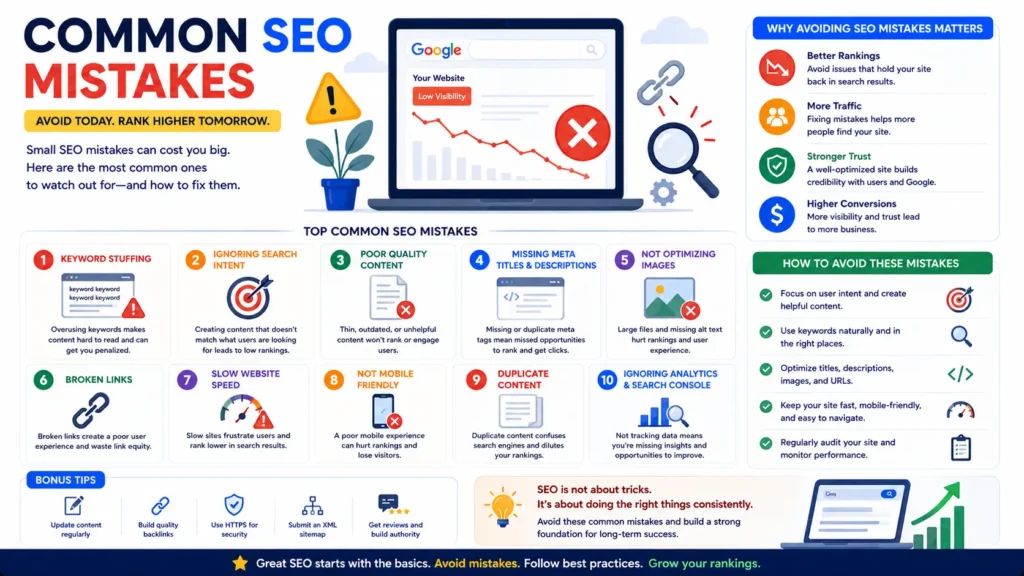
If SEO were only about following a checklist, every website would rank on the first page of Google.
The reality is very different.
Most websites don't struggle because they lack expensive tools or advanced knowledge.
They struggle because they make small mistakes consistently.
One mistake might not hurt much.
But several small issues combined can make it difficult for search engines to understand your website or for visitors to enjoy using it.
The good news?
Most of these mistakes are completely avoidable.
Let's look at the ones I see most often.
1. Writing for Search Engines Instead of People
This is probably the oldest SEO mistake on the internet.
Years ago, people believed repeating a keyword dozens of times would improve rankings.
They created content that sounded like this:
"Our SEO guide is the best SEO guide because this SEO guide teaches SEO better than any SEO guide."
Technically, the keyword appears many times.
But does anyone actually enjoy reading it?
Probably not.
Today's search engines understand language far better than they used to.
Instead of rewarding repetition, Google rewards content that genuinely helps users.
How to Fix It
Write naturally.
Answer questions clearly.
Use your keywords where they fit, but never force them.
If your writing sounds awkward when read aloud, it's probably over-optimized.
💡 Pro Tip
Ask yourself:
Would I recommend this article to a friend?
If the answer is yes, you're probably creating content for people—not algorithms.
2. Ignoring Search Intent
You can choose the perfect keyword and still fail to rank.
Why?
Because your content doesn't match what people expect.
Imagine someone searches:
"Best SEO tools"
Would they expect:
- A service page?
Or:
- A comparison article reviewing multiple tools?
Google already knows what users prefer.
That's why the first page is usually filled with comparison guides.
If you publish the wrong type of content, ranking becomes much more difficult.
How to Fix It
Before writing, search your target keyword.
Study the first page.
Notice:
- Content format
- Article length
- Headings
- Search intent
- Questions being answered
Let the search results guide your approach.
3. Targeting Too Many Keywords on One Page
Some beginners try to optimize one article for every keyword imaginable.
The result?
A page about:
- SEO
- PPC
- Email Marketing
- Social Media
- AI
- Web Design
Everything is included.
Nothing is covered deeply.
Google struggles to determine the page's primary focus.
How to Fix It
Choose one primary topic.
Support it with closely related secondary keywords.
If a subject deserves its own article, create one and link to it.
That's how topical authority is built.
4. Publishing Thin Content
A 300-word article rarely answers a competitive search query completely.
That's not because longer is always better.
It's because comprehensive topics often require deeper explanations.
Thin content usually:
- Lacks examples
- Skips important details
- Doesn't answer follow-up questions
- Provides little practical value
How to Fix It
Instead of asking:
"How many words should this article have?"
Ask:
"Have I answered the user's question completely?"
Depth should come naturally from solving the problem—not from chasing a word count.
Mini Case Study
A small business published a 450-word article titled:
"What Is Technical SEO?"
It received almost no traffic.
A few months later, the team expanded it into a complete guide with:
- Clear explanations
- Practical examples
- Checklists
- Internal links
- FAQs
The updated article began ranking for dozens of related keywords because it provided a much more complete answer.
5. Forgetting Internal Links
Many websites publish excellent articles but never connect them together.
Imagine writing:
- Keyword Research Guide
- Technical SEO Guide
- Local SEO Guide
If none of these pages link to each other, visitors may never discover the related content.
Google may also struggle to understand how the topics connect.
How to Fix It
Whenever you publish a new article:
Ask:
Which existing pages should link to this one?
And:
Which pages should this article link back to?
Internal linking strengthens your content ecosystem.
6. Neglecting Mobile Users
Most people visit websites using smartphones.
Yet some websites are still designed primarily for desktop screens.
Common issues include:
- Tiny text
- Buttons that are difficult to tap
- Slow loading
- Horizontal scrolling
- Pop-ups covering the content
Poor mobile experiences frustrate users and can reduce engagement.
How to Fix It
Always test your website on a real mobile device before publishing major changes.
Better yet, ask someone unfamiliar with your site to navigate it and share honest feedback.
7. Ignoring Website Speed
Patience online is limited.
Every extra second of loading time increases the likelihood that visitors leave.
Slow websites also make it harder for users to enjoy your content.
How to Fix It
Focus on practical improvements:
- Compress images
- Remove unnecessary plugins
- Use reliable hosting
- Minify CSS and JavaScript
- Enable browser caching
Small improvements can make a noticeable difference.
⚠️ Common Mistake
Obsessing over achieving a perfect performance score instead of improving the real user experience.
Aim for a fast, stable website—not just a higher number in a testing tool.
8. Publishing and Forgetting
Many businesses treat content like a one-time project.
They publish an article.
Then never touch it again.
But SEO is constantly evolving.
Outdated content becomes less useful over time.
How to Fix It
Schedule regular content reviews.
Update:
- Statistics
- Screenshots
- Examples
- Internal links
- Tool recommendations
- Best practices
Refreshing valuable content often delivers stronger results than constantly creating new articles.
9. Chasing Every Google Update
Every time Google announces an algorithm update, panic spreads across the internet.
Some website owners immediately rewrite their entire strategy.
Most of the time, that's unnecessary.
Google's updates consistently reward the same long-term principles:
- Helpful content
- Great user experience
- Trustworthy information
- Technical quality
How to Fix It
Instead of reacting to every headline, build a website that genuinely deserves to rank.
Long-term quality is more stable than short-term tactics.
10. Expecting Instant Results
This might be the biggest misconception in SEO.
Many beginners publish an article and expect page-one rankings within a week.
SEO doesn't work that way.
It takes time for search engines to:
- Discover your content
- Understand it
- Compare it with competitors
- Observe user engagement
- Build trust
Patience is part of the process.
How to Fix It
Think in months—not days.
Measure steady improvement rather than overnight success.
11. Ignoring Analytics
Without data, SEO becomes guesswork.
Some businesses publish content without tracking:
- Traffic
- Rankings
- Conversions
- Click-through rates
- User engagement
As a result, they don't know what's working.
How to Fix It
Review your data regularly.
Look for patterns.
Which pages attract traffic?
Which keywords are improving?
Where do visitors leave?
Use these insights to refine your strategy.
12. Copying Competitors Instead of Learning from Them
Competitor research is valuable.
Copying isn't.
If every article simply repeats what already exists, there's little reason for Google to rank it above the originals.
How to Fix It
Use competitors for inspiration.
Then ask:
- What's missing?
- What's outdated?
- What can I explain more clearly?
- What original experience can I add?
Information gain often comes from adding something genuinely new—not repeating existing advice.
💡 Pro Tip
The best-performing content doesn't aim to be different for the sake of it.
It aims to bemore helpful.
That's an important distinction.
Quick SEO Health Check
Before publishing any page, ask yourself:
✅ Does this content solve a real problem?
✅ Does it match search intent?
✅ Is it better than the current top results?
✅ Is it easy to read on mobile?
✅ Have I added internal links?
✅ Is the information accurate and up to date?
✅ Does the page load quickly?
✅ Have I included a helpful next step for readers?
If you can confidently answer "yes" to these questions, you're already avoiding many of the most common SEO mistakes.
Key Takeaways
- Great SEO is often about avoiding common mistakes rather than chasing secret tactics.
- Focus on users first, then optimize for search engines.
- Build comprehensive, well-structured content around clear search intent.
- Keep your website fast, mobile-friendly, and easy to navigate.
- Update important content regularly instead of publishing and forgetting.
- Treat SEO as an ongoing process of improvement, not a one-time task.
Up Next: The Future of SEO (AI + Search)
Search has changed dramatically over the past few years.
AI-generated answers.
Conversational search.
Multimodal results.
Zero-click experiences.
Many people wonder:
"Is SEO still worth learning?"
The short answer isyes.
But the way we approach SEO is evolving.
In the next chapter, we'll explore how AI is reshaping search, what it means for website owners, and the strategies that will remain effective in 2026 and beyond.
The Future of SEO: How AI Is Changing Search in 2026 (And What You Should Do About It)
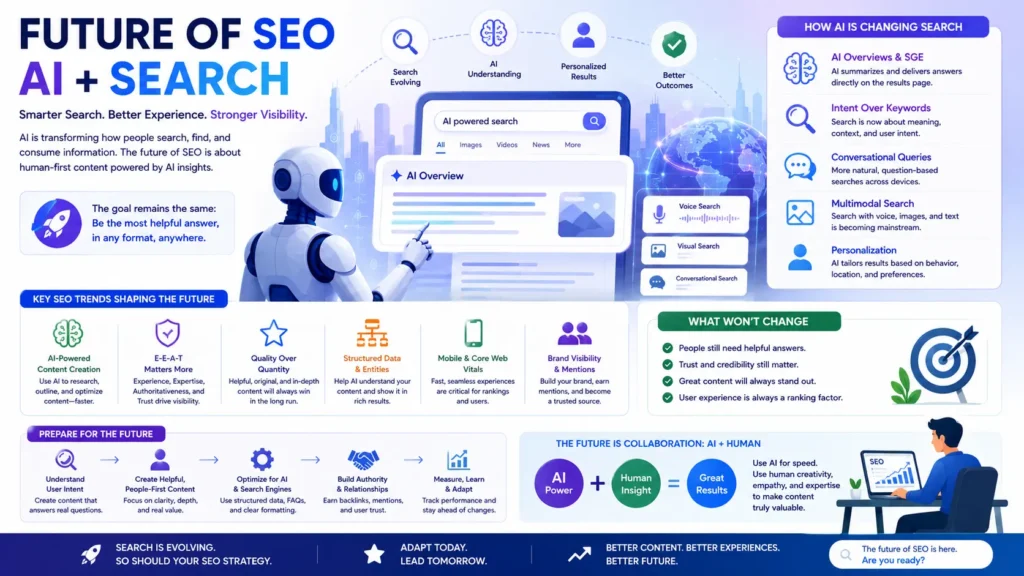
If you've spent any time reading SEO news recently, you've probably seen headlines like:
"SEO is dead."
Or:
"AI will replace Google Search."
Or even:
"Nobody will click on websites anymore."
These headlines grab attention.
But they don't tell the full story.
Search is changing.
Rapidly.
Artificial intelligence is transforming how people discover information.
Users are asking longer, more conversational questions.
Search engines are generating summaries before showing traditional results.
Voice search continues to grow.
Images and videos play a bigger role than ever.
Yet despite all these changes, one thing remains surprisingly consistent:
People still need trustworthy information.
And someone still has to create that information.
That's where great SEO continues to thrive.
The goal of SEO hasn't changed.
The way people discover your content has.
Let's explore what that means.
Search Is Becoming More Conversational
A few years ago, someone might have searched:
SEO Guide
Today, they might search:
What's the best way to learn SEO if I'm starting from scratch?
Or:
How can I rank my website on Google without paying for ads?
People increasingly search the way they naturally speak.
This shift means keyword research is evolving.
Instead of optimizing only for exact-match phrases, successful websites answer broader questions and cover topics comprehensively.
Think in conversations.
Not just keywords.
💡 Pro Tip
When creating content, imagine you're answering a real person's question face-to-face.
If your explanation feels natural in conversation, it's probably aligned with modern search behavior.
AI Can Generate Content. Experience Cannot.
AI has made creating first drafts much faster.
It can help:
- Brainstorm ideas
- Organize outlines
- Rewrite sentences
- Summarize information
- Improve readability
These are valuable uses.
But AI doesn't automatically have:
- First-hand experience
- Original research
- Personal observations
- Client stories
- Lessons learned
- Authentic expertise
That's where humans have an advantage.
Imagine two articles about conducting an SEO audit.
One summarizes common advice.
The other explains:
- Mistakes discovered during real audits
- Unexpected ranking improvements
- Screenshots from actual projects
- Lessons learned after months of testing
Which article feels more trustworthy?
Usually the second.
Original experience is becoming one of the strongest ways to stand out.
Topical Authority Will Matter Even More
Search engines increasingly evaluate websites as collections of knowledge—not isolated pages.
Publishing one article about SEO isn't enough.
Building a complete library is far more powerful.
Instead of writing:
- One SEO article
Create:
- SEO Guide
- Keyword Research Guide
- Technical SEO Guide
- Local SEO Guide
- Link Building Guide
- Google Search Console Guide
- Core Web Vitals Guide
- SEO Checklist
Together, these resources demonstrate consistent expertise.
That's topical authority.
And it's becoming increasingly important in both traditional search and AI-powered discovery.
Zero-Click Searches Are Increasing
Sometimes users get their answers directly on the search results page.
Examples include:
- Weather
- Currency conversions
- Definitions
- Simple calculations
- Sports scores
These are calledzero-click searches because users don't always need to visit a website.
At first, this worried many publishers.
But here's the opportunity.
Simple answers may appear directly in search results.
Complex questions still require detailed explanations.
That's where comprehensive content continues to perform well.
Instead of answering:
"What is SEO?"
Answer:
- What is SEO?
- Why does it matter?
- How does it work?
- How do beginners get started?
- Which mistakes should they avoid?
Depth creates value beyond quick summaries.
⚠️ Common Mistake
Trying to compete only for simple factual questions.
Those are increasingly answered directly within search experiences.
Instead, focus on creating content that helps people understand, apply, and act—not just define.
Information Gain Matters More Than Ever
Imagine ten websites publishing identical articles.
Each one repeats the same definitions.
The same examples.
The same advice.
Now imagine an eleventh article.
It includes:
- Original screenshots
- Personal case studies
- Downloadable templates
- Real examples
- Fresh insights
Which one deserves attention?
Search systems increasingly reward content that contributes something new.
Don't ask:
"How can I rewrite existing content?"
Ask:
"What can I add that doesn't already exist?"
That's information gain.
Build a Recognizable Brand
People don't only search for information.
They also search for brands they trust.
Examples include:
- A favorite newsletter
- A trusted YouTube channel
- A respected marketing blog
- An industry expert
Strong brands often receive:
- More direct traffic
- More backlinks
- More mentions
- Higher engagement
SEO and branding are becoming more closely connected.
The more people remember your brand, the easier it becomes to grow organically.
Mini Case Study
Imagine two SEO blogs.
Both publish high-quality content.
One quietly publishes articles.
The other also:
- Shares insights on LinkedIn
- Appears on podcasts
- Publishes original research
- Speaks at webinars
- Builds an email newsletter
Over time, the second blog becomes more recognizable.
People begin searching for the brand directly.
Journalists reference its research.
Other websites naturally link to its content.
Authority grows because the brand grows.
Multimedia Is No Longer Optional
Search isn't limited to text.
People increasingly discover information through:
- Images
- Videos
- Podcasts
- Infographics
- Interactive tools
Some users prefer watching a five-minute video instead of reading a 5,000-word guide.
Others prefer downloadable checklists.
Creating multiple content formats helps you reach different audiences.
One pillar article can become:
- A YouTube video
- A LinkedIn carousel
- An infographic
- A podcast episode
- A newsletter
- A downloadable checklist
This extends the value of every piece of content you create.
Voice Search and Natural Language
Voice assistants continue to influence how people search.
Instead of typing:
SEO tools
Someone might ask:
Which free SEO tools should I use for a new website?
Notice how conversational that feels.
Content written in natural language often aligns well with voice search because it mirrors the way people actually speak.
AI Search Doesn't Eliminate Websites
AI-powered search experiences often summarize information.
But those summaries still depend on reliable sources.
Someone has to create:
- Original research
- Practical tutorials
- Product documentation
- Case studies
- Expert insights
High-quality websites remain essential because they provide the information AI systems learn from and reference.
Rather than fearing AI, think about how your content can become one of the trusted sources behind those answers.
💡 Pro Tip
Ask yourself:
If an AI system summarized my article, what unique insight would it find?
If the answer is "nothing," consider adding:
- Original examples
- First-hand experience
- Visual explanations
- Actionable frameworks
- Templates
- Checklists
Those elements make your content more valuable to both readers and AI systems.
Future-Proof Your SEO Strategy
Technology will continue evolving.
Specific algorithms will change.
New features will appear.
But these principles are likely to remain valuable:
Create Helpful Content
Focus on solving real problems.
Demonstrate Experience
Share what you've actually learned.
Build Topical Authority
Cover your niche comprehensively.
Improve User Experience
Fast, accessible, mobile-friendly websites will continue to matter.
Earn Trust
Be transparent.
Stay accurate.
Update content regularly.
Build Your Brand
Help people remember you—not just your keywords.
The Future Belongs to Helpful Websites
SEO isn't disappearing.
It's becoming more human.
Search engines are getting better at identifying:
- Helpful content
- Genuine expertise
- Positive user experiences
- Trusted brands
That means shortcuts become less effective.
Real value becomes more rewarding.
If your goal is simply to rank, every algorithm update feels like a threat.
If your goal is to genuinely help people, most updates move in your favor.
That's a much more sustainable strategy.
Key Takeaways
- AI is changing how people search—but helpful content remains essential.
- Conversational queries and natural language are becoming more common.
- First-hand experience and original insights are increasingly valuable.
- Topical authority helps both traditional search engines and AI-powered discovery.
- Build a recognizable brand alongside your SEO efforts.
- Create content that teaches, demonstrates, and solves problems—not just content that targets keywords.
Up Next: The Complete SEO Checklist
We've covered the theory.
We've explored the strategy.
Now it's time to put everything together.
In the next chapter, you'll get acomplete, printable SEO checklist covering every stage of the process—from keyword research to publishing and ongoing optimization.
Whether you're launching a new page or auditing an existing one, this checklist will help ensure you don't miss the fundamentals.
The Ultimate SEO Checklist (2026 Edition)
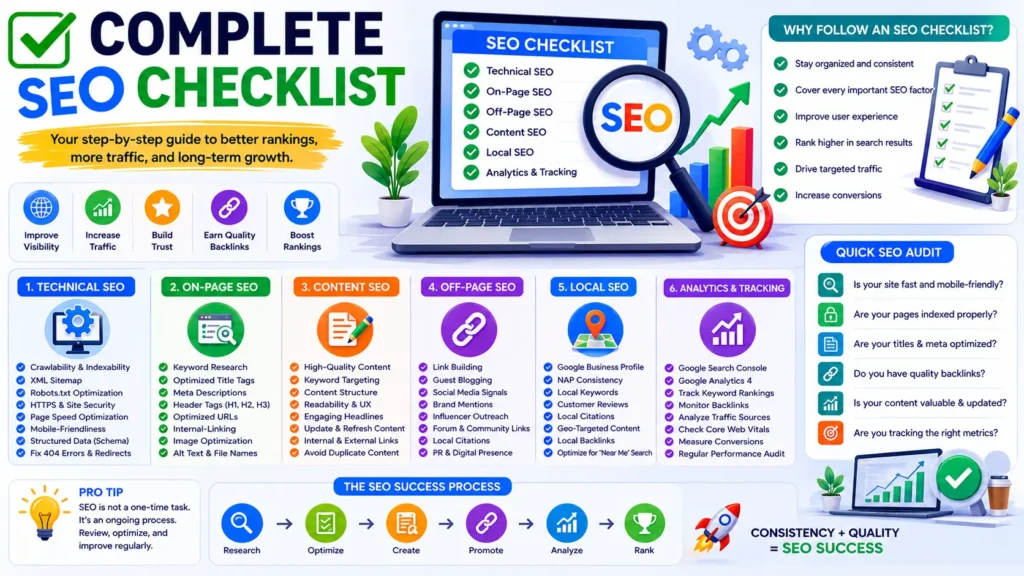
Imagine you're about to publish a new article.
You've spent hours researching.
You've written the content.
You've added images.
You clickPublish.
But then you wonder...
- Did I optimize the title?
- Did I add internal links?
- Is the page mobile-friendly?
- Did I submit the sitemap?
- Have I checked search intent?
These small details often make the difference between content that performs well and content that gets overlooked.
That's why professional SEO teams rely on checklists.
Not because they don't know SEO.
Because they don't want to forget the fundamentals.
Use this checklist every time you publish or update a page.
Phase 1: Planning Checklist
Before writing anything, ask yourself:
✅ Who is my target audience?
✅ What problem am I solving?
✅ What stage of the customer journey does this content support?
✅ What action should readers take after finishing the article?
✅ Is this topic aligned with my niche?
💡 Pro Tip
Never write an article simply because a keyword has high search volume.
Write it because it helps your audience achieve something meaningful.
Phase 2: Keyword Research Checklist
Before writing:
✅ Choose one primary keyword.
✅ Identify 5–10 related secondary keywords.
✅ Understand the search intent.
✅ Analyze the first page of Google.
✅ Review competing articles.
✅ Look for information gaps.
✅ Check keyword difficulty.
✅ Prioritize relevance over search volume.
⚠️ Common Mistake
Choosing keywords based only on monthly search volume.
A keyword with lower volume but stronger intent often delivers better business results.
Phase 3: Content Creation Checklist
While writing:
✅ Write for people first.
✅ Answer the main question early.
✅ Include practical examples.
✅ Use clear headings.
✅ Break long sections into smaller paragraphs.
✅ Add visuals where appropriate.
✅ Include actionable advice.
✅ Cover related questions naturally.
✅ Keep the information accurate and current.
Phase 4: On-Page SEO Checklist
Before publishing:
✅ Primary keyword in the title tag.
✅ Compelling meta description.
✅ Clean URL.
✅ One H1 heading.
✅ Logical H2 and H3 structure.
✅ Keyword naturally included in the introduction.
✅ Related keywords used naturally.
✅ Images optimized.
✅ Alt text added.
✅ Internal links included.
✅ External links added where appropriate.
✅ Clear call to action.
Phase 5: Technical SEO Checklist
Check:
✅ HTTPS enabled.
✅ Mobile-friendly layout.
✅ Fast loading speed.
✅ XML sitemap updated.
✅ Page indexable.
✅ Robots.txt configured correctly.
✅ Canonical tag present where needed.
✅ Structured data implemented (if applicable).
✅ No broken links.
✅ Core Web Vitals monitored.
Phase 6: Local SEO Checklist
If the page targets local customers:
✅ Location-specific keyword included naturally.
✅ Google Business Profile updated (if relevant).
✅ NAP information consistent.
✅ Local testimonials included.
✅ Location page internally linked.
✅ Local schema added where appropriate.
Phase 7: Link Building Checklist
After publishing:
✅ Share the article on social media.
✅ Add internal links from older articles.
✅ Reach out to relevant websites.
✅ Include the article in your newsletter.
✅ Update related resources with links.
✅ Monitor new backlinks.
Phase 8: User Experience Checklist
Ask yourself:
✅ Is the article easy to scan?
✅ Is the font readable?
✅ Does the page work well on mobile?
✅ Are images loading correctly?
✅ Are buttons easy to click?
✅ Is navigation intuitive?
💡 Pro Tip
Read your article on your phone before publishing.
If you enjoy reading it on mobile, your visitors probably will too.
Phase 9: E-E-A-T Checklist
Every important page should include:
✅ Author name.
✅ Short author bio.
✅ Publication date.
✅ Updated date.
✅ Original examples.
✅ Reliable references where appropriate.
✅ Contact information available elsewhere on the website.
Phase 10: Content Promotion Checklist
Publishing isn't the finish line.
It's the starting line.
After publishing:
✅ Share on LinkedIn.
✅ Share with your email subscribers.
✅ Add to your resource library.
✅ Link from newer articles.
✅ Refresh older articles with internal links.
✅ Monitor performance in Google Search Console.
Monthly SEO Maintenance Checklist
Every month:
✅ Review keyword rankings.
✅ Check Google Search Console.
✅ Review Google Analytics.
✅ Fix broken links.
✅ Update outdated content.
✅ Improve internal linking.
✅ Refresh important pages.
✅ Review new competitor content.
Quarterly SEO Audit Checklist
Every three months:
✅ Crawl your website.
✅ Check indexing issues.
✅ Review Core Web Vitals.
✅ Audit duplicate content.
✅ Review title tags.
✅ Update meta descriptions.
✅ Analyze backlinks.
✅ Identify new content opportunities.
Annual SEO Review
At least once each year:
✅ Update cornerstone content.
✅ Remove outdated information.
✅ Refresh screenshots.
✅ Improve CTAs.
✅ Review your content strategy.
✅ Expand topic clusters.
✅ Evaluate business goals.
SEO isn't static.
Neither should your website be.
Your SEO Workflow
If you're wondering how all these pieces fit together, here's a simple workflow you can follow for every new page.
Research
↓
Keyword Selection
↓
Search Intent Analysis
↓
Content Outline
↓
Write Content
↓
On-Page SEO
↓
Technical Checks
↓
Publish
↓
Internal Linking
↓
Promotion
↓
Performance Tracking
↓
Content Updates
Following a consistent process reduces mistakes and helps you build quality into every piece of content.
SEO Success Isn't About Perfection
It's easy to feel overwhelmed when you see a long checklist.
Remember:
You don't need to master everything overnight.
Focus on improving one area at a time.
A website that gets1% better every week will look dramatically different a year from now.
SEO rewards consistency more than perfection.
Key Takeaways
- A checklist helps you build consistent SEO habits.
- Great SEO starts before you write and continues long after you publish.
- Review your content regularly instead of treating SEO as a one-time task.
- Small improvements, repeated consistently, often produce significant long-term results.
Up Next: Frequently Asked Questions
You've learned the strategy.
You've learned the process.
Now let's answer the questions people ask most often about SEO.
These quick answers will help reinforce everything you've learned and address common concerns that beginners and business owners have when starting their SEO journey.
Frequently Asked Questions About SEO
Whether you're just starting your SEO journey or looking to improve an existing website, you're likely to have questions.
Below are answers to some of the most common SEO questions beginners, business owners, and marketers ask.
1. What is SEO?
SEO (Search Engine Optimization) is the process of improving your website so it appears more prominently in organic (non-paid) search results. It involves creating helpful content, optimizing webpages, improving technical performance, earning trust through backlinks and brand mentions, and providing a great user experience.
2. Why is SEO important?
Most online journeys begin with a search engine. If your website doesn't appear when people search for topics related to your business, you're missing opportunities to attract qualified visitors. Good SEO helps generate long-term traffic, build brand awareness, and increase leads without relying entirely on paid advertising.
3. Is SEO free?
You don't pay Google to appear in organic search results.
However, SEO requires an investment of time, effort, and sometimes money for tools, content creation, or professional support.
Think of SEO as an investment rather than an expense.
4. How long does SEO take?
SEO is a long-term strategy.
Some improvements may appear within a few weeks, while competitive keywords often take several months to show meaningful progress.
The timeline depends on factors such as:
- Competition
- Website authority
- Content quality
- Technical health
- Consistency
Patience and continuous improvement usually produce the best results.
5. Can I do SEO myself?
Yes.
Many successful website owners learn SEO independently.
Start with the fundamentals:
- Keyword research
- Search intent
- On-page SEO
- Technical SEO basics
- Content strategy
As your website grows, you can decide whether to continue managing SEO yourself or work with specialists.
6. Is SEO better than Google Ads?
Neither is universally better.
They serve different purposes.
Google Ads can generate traffic almost immediately.
SEO typically takes longer but can provide sustainable, long-term visibility without paying for every click.
Many successful businesses use both together.
7. How often should I publish new content?
There isn't a magic number.
Publishing one excellent article each week is generally more valuable than publishing several low-quality articles.
Consistency and usefulness matter more than frequency.
8. Does blog content help SEO?
Yes—when it answers real questions your audience is searching for.
A blog allows you to target informational keywords, build topical authority, attract backlinks, and create opportunities to guide visitors toward your products or services.
Random blogging, however, is much less effective than publishing content as part of a clear strategy.
9. What is organic traffic?
Organic traffic refers to visitors who arrive at your website through unpaid search results.
For example, if someone searches:
"SEO Guide"
and clicks your article without you paying for an advertisement, that visit is organic traffic.
10. Is SEO still worth learning in 2026?
Absolutely.
Search continues to evolve, but people still need reliable information.
As AI changes how search works, websites that provide original insights, real experience, and helpful content remain valuable.
Learning SEO is also a transferable skill that benefits marketers, business owners, freelancers, and content creators.
11. How many keywords should one page target?
Focus on one primary keyword supported by several closely related secondary keywords.
Rather than trying to rank for dozens of unrelated terms, create comprehensive content around a single topic.
This helps search engines understand your page more clearly.
12. What are long-tail keywords?
Long-tail keywords are longer, more specific search phrases.
For example:
Instead of:
SEO
Use:
How to rank a new website on Google
Long-tail keywords often have lower competition and attract visitors with clearer intent.
13. Should I target high-volume keywords?
Not always.
High-volume keywords usually have strong competition.
New websites often achieve better results by targeting relevant, lower-competition keywords before gradually expanding into broader topics.
14. What is keyword stuffing?
Keyword stuffing means repeating keywords unnaturally in an attempt to improve rankings.
Example:
"Our SEO guide is the best SEO guide because our SEO guide teaches SEO better than every SEO guide."
Modern search engines recognize this as poor user experience.
Write naturally instead.
15. What is search intent?
Search intent is the reason behind a search query.
Someone searching:
"What is SEO?"
wants information.
Someone searching:
"Hire an SEO consultant"
is ready to take action.
Matching your content to search intent is one of the most important parts of modern SEO.
16. How long should an SEO article be?
There isn't a perfect word count.
The best article is one that completely answers the user's question.
Simple topics may require only a few hundred words.
Comprehensive topics may need several thousand.
Always prioritize completeness over length.
17. Should every page have a unique title tag?
Yes.
Every important page should have its own descriptive title.
Unique titles help both users and search engines understand the purpose of each page.
18. How many H1 tags should a page have?
In most cases, one clear H1 heading is the simplest and most effective approach.
Use H2 and H3 headings to organize the rest of your content.
19. Do meta descriptions affect rankings?
Meta descriptions aren't considered a direct ranking signal.
However, they influence click-through rates by encouraging users to choose your result.
A compelling meta description can increase organic traffic even without changing your ranking position.
20. How important are internal links?
Internal links help users discover related content and help search engines understand your website's structure.
They also distribute authority throughout your site, making them an essential part of a strong SEO strategy.
More Questions Covered in the Full Guide
The complete FAQ section will also answer:
Technical SEO
- What is crawling?
- What is indexing?
- What are Core Web Vitals?
- What is Schema Markup?
- What is an XML sitemap?
- What is a canonical tag?
Local SEO
- What is Google Business Profile?
- How do reviews affect local rankings?
- What are local citations?
- Can I rank in multiple cities?
Link Building
- Are backlinks still important?
- What is anchor text?
- What are no-follow links?
- Should I buy backlinks?
AI & SEO
- Can AI replace SEO?
- Can AI-generated content rank?
- How should I use AI responsibly?
- What is AI-powered search?
Careers & Learning
- How do I become an SEO specialist?
- Which SEO certifications are worth taking?
- Is coding required for SEO?
- Can SEO be a full-time career?
Tools & Analytics
- Which free SEO tools should beginners use?
- How do I track rankings?
- Which SEO metrics matter most?
- How often should I audit my website?
Final Thoughts
When people first hear about SEO, it often sounds overwhelming.
There are algorithms to understand.
Keywords to research.
Technical issues to fix.
Content to create.
Backlinks to earn.
Analytics to monitor.
It can feel like there's always one more thing to learn.
But here's something worth remembering:
Every SEO expert started exactly where you are now.
Nobody wakes up understanding search engines overnight.
SEO isn't about memorizing hundreds of ranking factors.
It's about consistently helping people find the answers they're looking for.
When you focus on solving real problems, creating trustworthy content, and improving your website a little every week, you're already following the same principles that successful websites use.
Will rankings happen instantly?
No.
Will every article reach page one?
Probably not.
But every well-written article strengthens your website.
Every update improves your content.
Every internal link builds your topical authority.
Every satisfied visitor increases your credibility.
SEO rewards consistency.
Not shortcuts.
Whether you're building a personal blog, growing an eCommerce store, running a local business, or launching a digital marketing agency, the principles you've learned in this guide will continue to serve you as search evolves.
Algorithms will change.
Technology will improve.
AI will reshape how people discover information.
But one thing will remain true:
The websites that genuinely help people will always have a place in search.
So don't chase every new trick.
Don't obsess over every algorithm update.
Instead, create content you're proud to publish.
Keep learning.
Keep improving.
And remember that SEO is a marathon, not a sprint.
One helpful page at a time, you're building something that can generate traffic, leads, and trust for years to come.
Ready to Grow Your Website?
If you've made it this far, you already understand more about SEO than most beginners.
Now it's time to put that knowledge into action.
Start by optimizing one page.
Then another.
Build your content strategically.
Measure your progress.
Learn from your results.
And most importantly—keep helping your audience.
That's the foundation of great SEO.
Welcome to the journey.

I’m an SEO Specialist, Content Writer, and Digital Marketing Professional with expertise in technical SEO, keyword research, content strategy, and WordPress. I create high-quality, SEO-optimized content that helps businesses improve organic visibility, attract the right audience, and grow through search and AI-powered discovery.